iOS 26 introduces meaningful changes to interface design, communication workflows, and on-device intelligence. For Fliplet app teams, this is the right time to review user journeys, notification strategy, and UI polish against current iPhone expectations.
Apple introduced iOS 26 at WWDC on June 9, 2025, released it publicly on September 16, 2025, and has continued shipping security updates (including iOS 26.3.1 on March 4, 2026). This guide focuses on what matters most for planning, testing, and improving Fliplet apps today.
For teams planning the next release cycle, our walkthrough on how to build a custom app without coding is a useful companion.
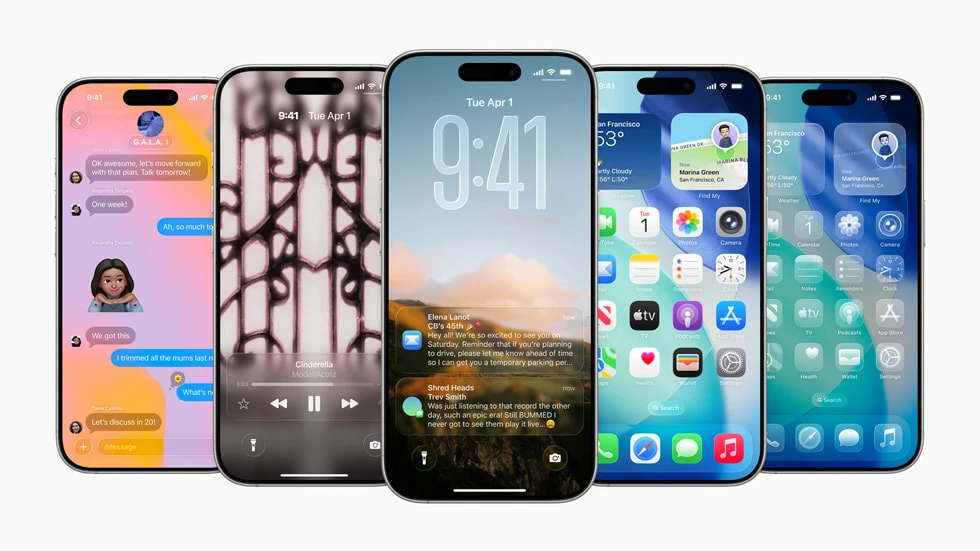
What changed in iOS 26 that matters for app creators
1) The new Liquid Glass design raises the bar for UI clarity
Apple's updated visual system (often referred to as Liquid Glass in iOS 26 coverage) introduces more depth, translucency, and layered effects across the interface.
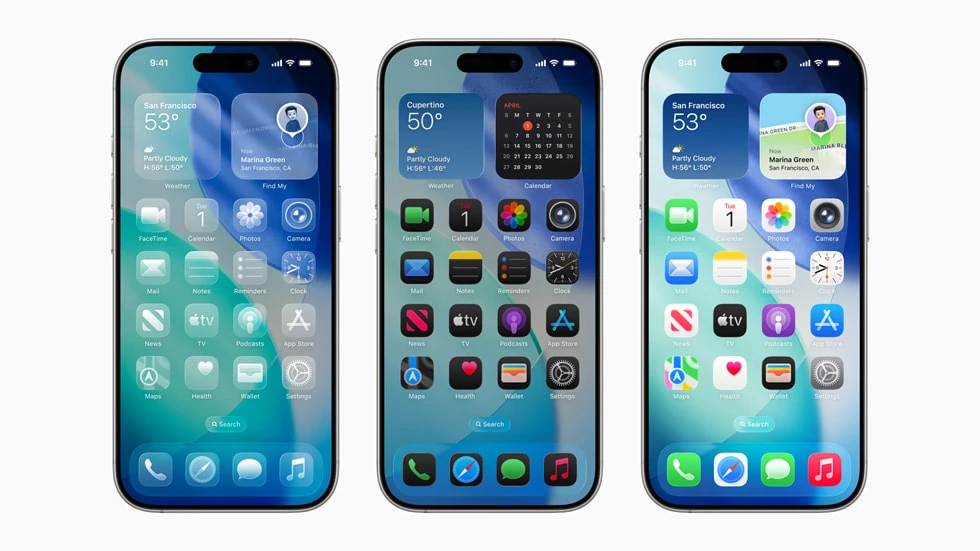
Why this impacts Fliplet apps
- Visual density and transparency can make weak contrast more obvious.
- App icons, tab bars, and cards that were "good enough" before may now feel visually noisy beside newer native UI.
- Branded colors may appear different depending on layered backgrounds.
What to do now
- Re-check contrast on core screens, especially cards, list rows, and low-emphasis text.
- Re-test icon legibility at small sizes.
- Validate layouts in both Light and Dark modes on recent iPhones.
2) Apple Intelligence features are now part of everyday communication flows
iOS 26 expands intelligence-driven experiences in Phone, Messages, and FaceTime, including Live Translation and smarter call handling.
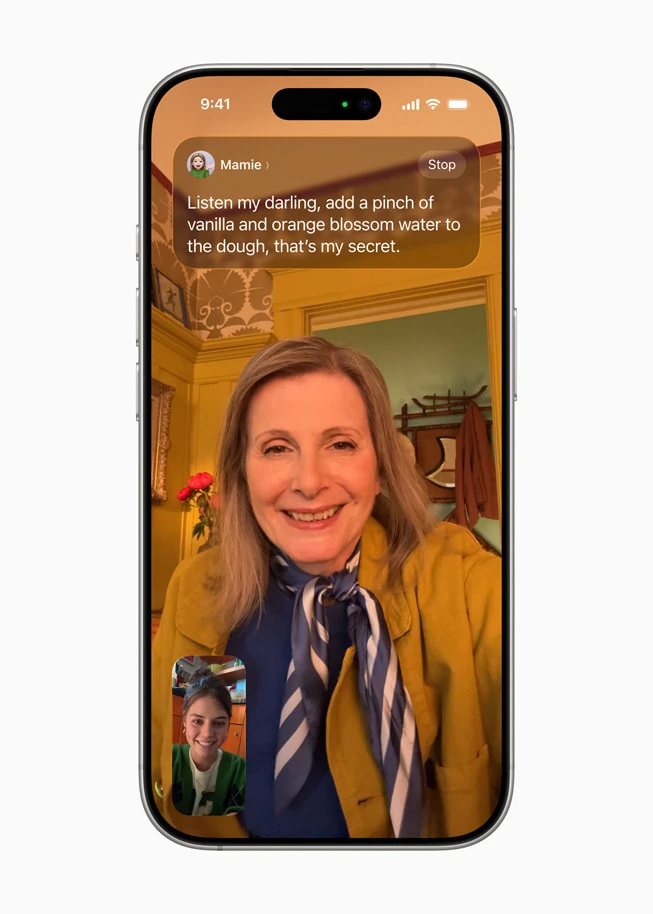
Why this impacts Fliplet apps
- User expectations are changing: people now expect more contextual, real-time assistance from apps.
- In multilingual teams, translation and communication context are becoming default expectations instead of premium extras.
- Any workflow relying on fast user response should account for more intelligent message filtering and prioritization.
What to do now
- Review high-priority communication journeys (approvals, incident alerts, shift updates, safety notices).
- Tighten notification copy so urgency is obvious in the first line.
- Localize critical flows and reduce jargon in action text.
3) Call Screening and hold assistance change user attention patterns
Features like Call Screening make it easier for users to filter interruptions and focus only on relevant conversations.
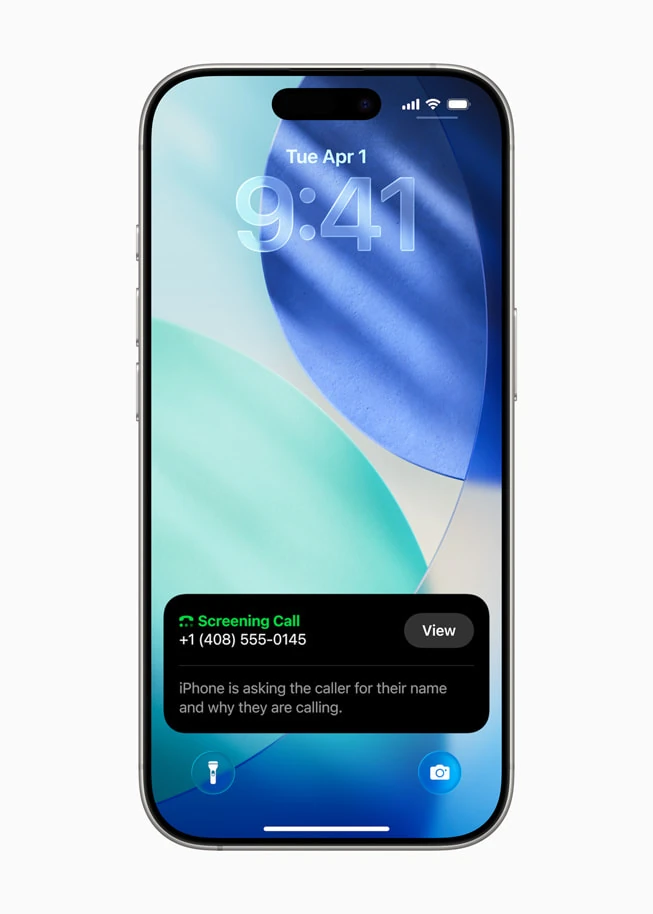
Why this impacts Fliplet apps
- Users are increasingly selective about interruptions.
- Generic or frequent notifications are more likely to be ignored, batched, or disabled.
- Teams that rely on push alerts need clearer severity and timing rules.
What to do now
- Segment push notifications by role and priority.
- Add explicit severity labels (for example: "Action required today").
- Remove low-value pushes that do not drive a clear action.
4) Maps and CarPlay updates matter for field and deskless teams
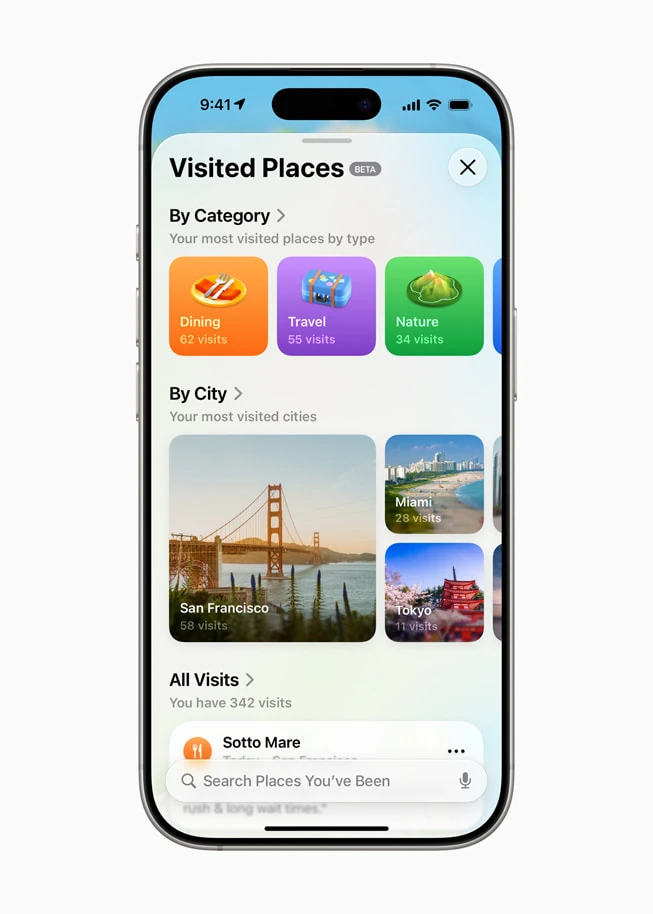
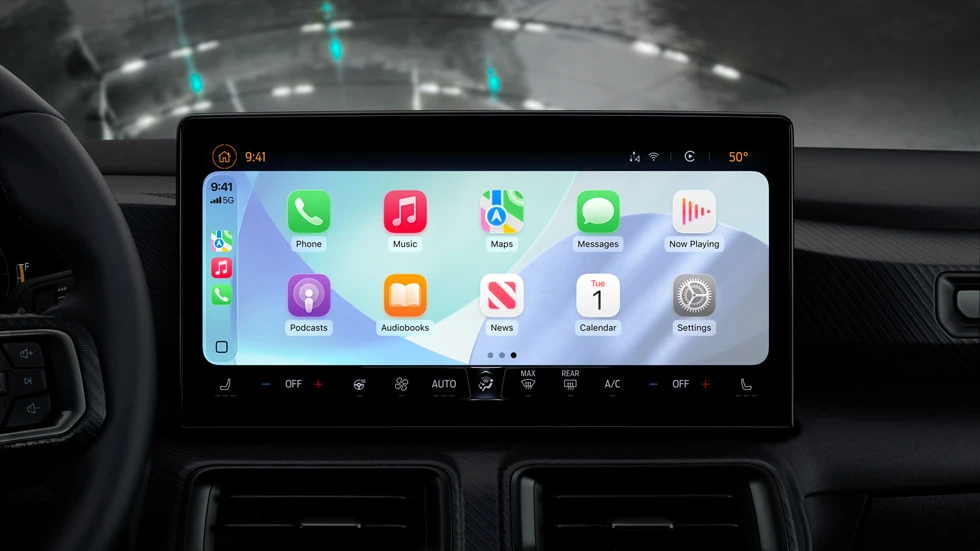
iOS 26 adds improvements such as preferred routes and visited places in Maps, plus UI improvements in CarPlay.
Why this impacts Fliplet apps
- Mobile workforces increasingly expect route-aware and location-aware workflows.
- Field processes can benefit from clearer handoff between navigation context and in-app tasks.
What to do now
- Re-test location permissions and map-linked workflows.
- Validate deep links from notifications into task screens.
- Keep "on the go" actions one tap away from the home screen.
Security and privacy implications
iOS 26 continues Apple's direction toward stronger on-device intelligence and user control. For Fliplet app creators, the practical takeaway is not panic; it is precision:
- Ask only for permissions that are clearly necessary.
- Explain why each permission is needed in plain language.
- Keep data handling transparent in onboarding and settings help text.
Apps that communicate value and trust clearly are more resilient as privacy controls evolve.
iOS 26 readiness checklist for Fliplet teams
- Run regression tests on core journeys with iOS 26 devices.
- Audit push notification relevance and urgency labeling.
- Re-check UI contrast and readability across themes.
- Validate camera, upload, and file-handling journeys.
- Review deep links, auth flows, and role-based access journeys.
- Update internal support docs and user guidance to reflect iOS 26 behavior.
Official Apple iOS 26 images to reuse
These visuals are from Apple's official iOS 26 Newsroom package and individual downloadable assets:
- iOS 26 main Newsroom announcement
- Hero image download (ZIP)
- Home Screen customization image (ZIP)
- Live Translation in FaceTime image (ZIP)
- Call Screening image (ZIP)
- Maps Visited Places image (ZIP)
- CarPlay light mode image (ZIP)
If your team wants to use these beyond editorial content, review Apple's current usage terms and legal guidance before publishing.
Final take
iOS 26 is not just a visual refresh. It changes how people process notifications, trust app permissions, and expect context-aware experiences.
For Fliplet app creators, the opportunity is clear: tune communication, polish UI clarity, and retest critical workflows now so your app experience feels modern and dependable on today's iPhone baseline.

Lisa Broom is the Head of Marketing at Fliplet, where she helps enterprise teams turn complex workflows into secure, user-friendly digital experiences.

Ready to see Fliplet live?
Build the software you actually need.
Book a demo to walk through your workflow goals, governance requirements, integration needs, and rollout model.