
See who owns what
Assign each task to a person or team, with a due date and status that everyone involved can follow.








Why Fliplet
Give staff a clear next step and managers a view of what needs attention. Connect everyday work across teams.
Assign each task to a person or team, with a due date and status that everyone involved can follow.
Turn recurring work into checklists, so people know what to do, which information to provide and who can help.
Collect the details once and route requests to the right reviewer. Keep decisions and next steps with the request.
Give teams a shared place for policies, contacts and updates, with named owners responsible for keeping them useful.
Everyday work
Bring the work between staff, managers and support teams into a shared process.
Give each new colleague a checklist, useful contacts and first-week guides. Make equipment, induction and training tasks clear before they start.
See assigned tasks and requests awaiting a decision. Follow up with the right person without piecing together emails and spreadsheets.
Collect staff requests in a consistent format, maintain shared guidance and keep internal notes separate from information employees can see.
Staff workflows
Connect people, tasks and guidance so staff know where to go and managers know what needs attention.
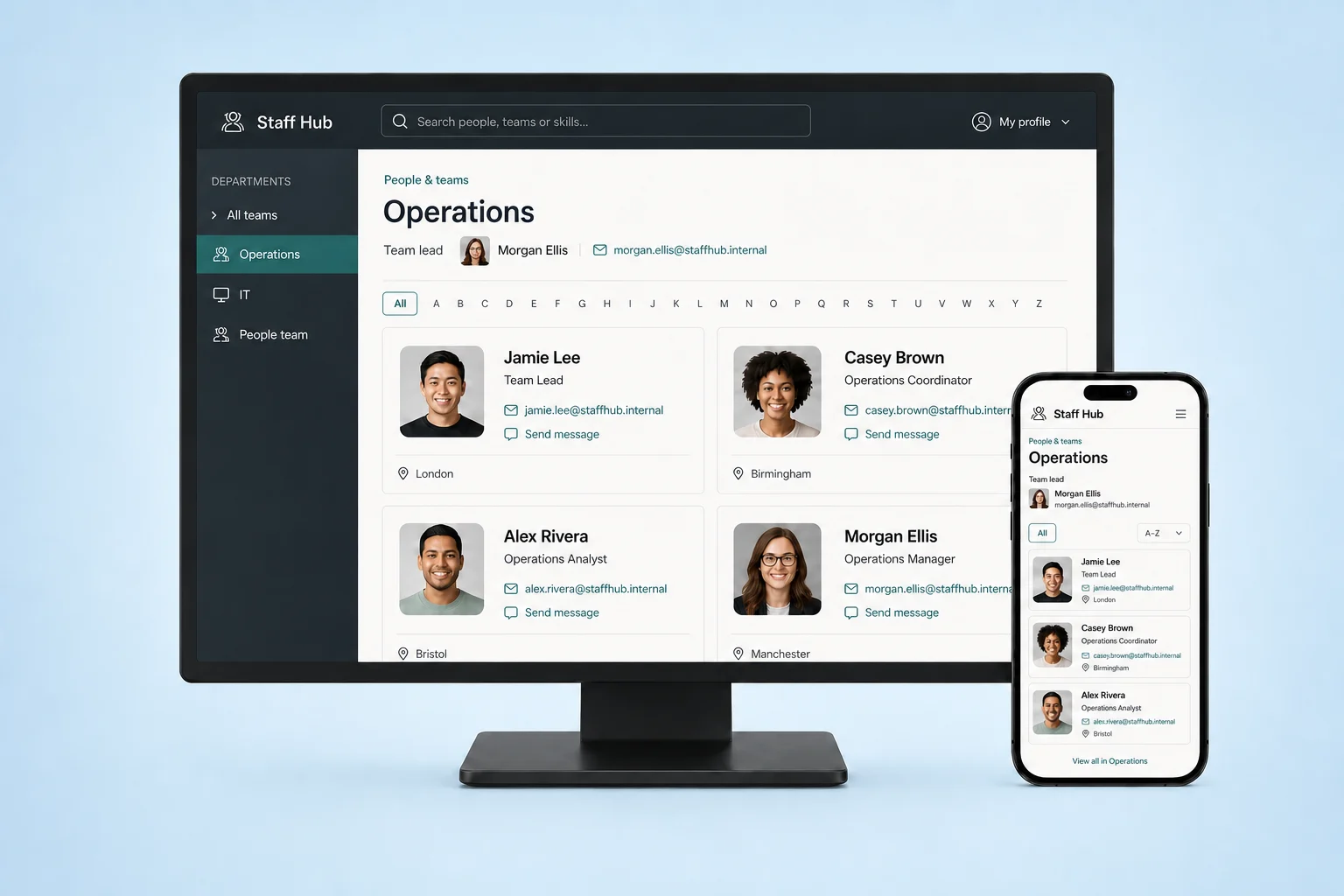
Help staff find colleagues by team, role or location, with useful contact details and a clear owner for profile updates.
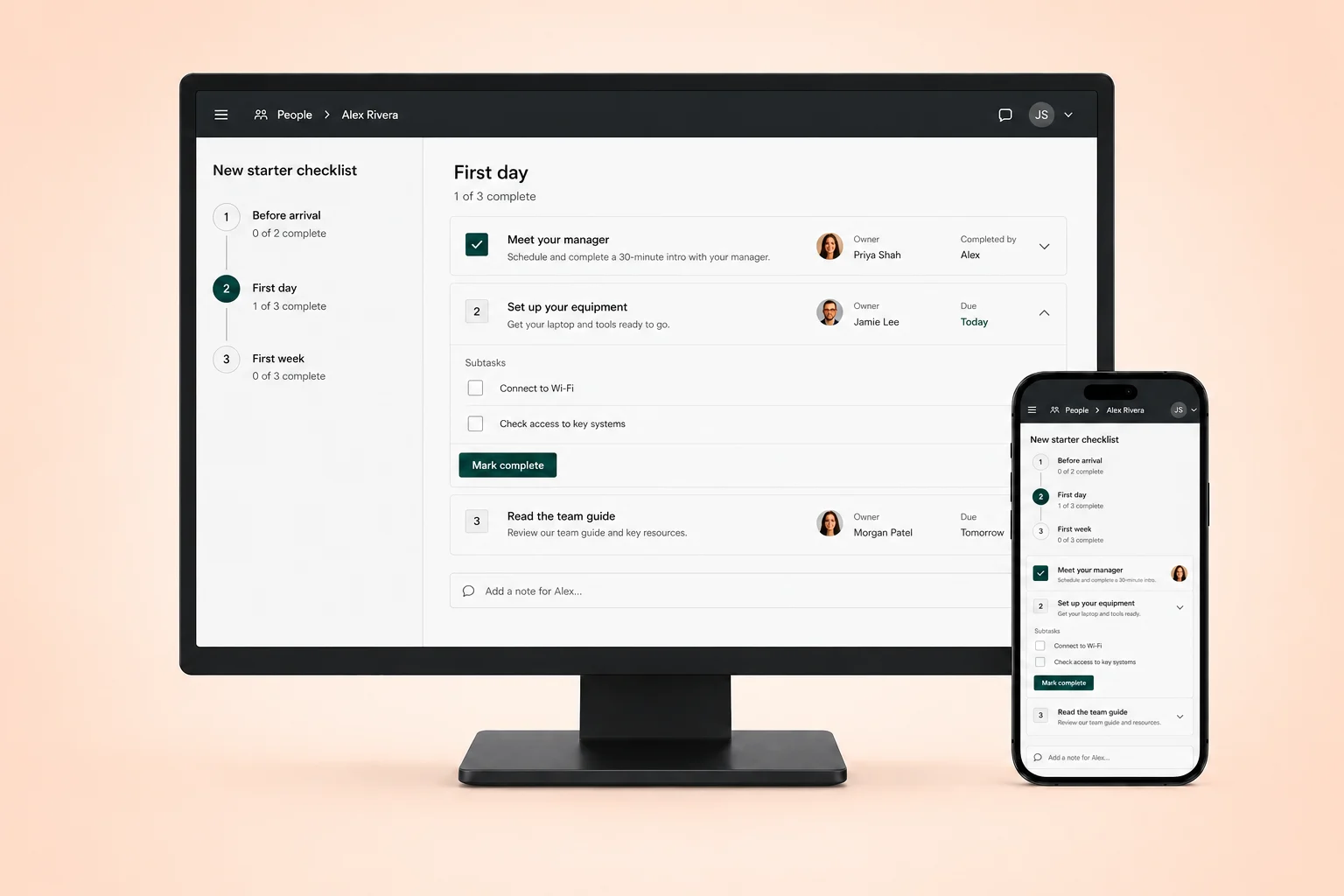
Set out onboarding and recurring tasks with an owner, due date and completion status. Give each person a view of their next steps.
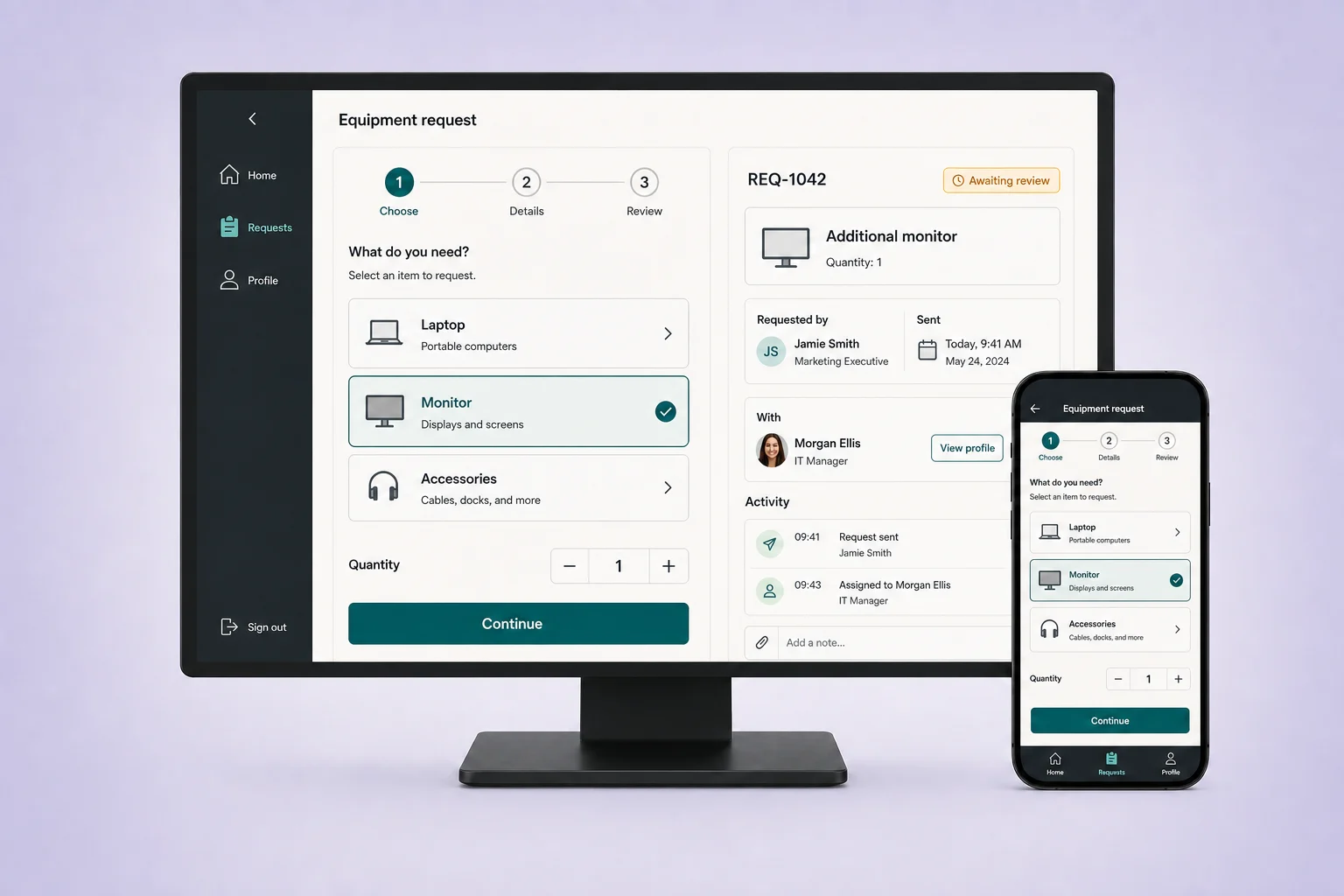
Collect equipment, access and other staff requests through forms that capture the details your support teams need.
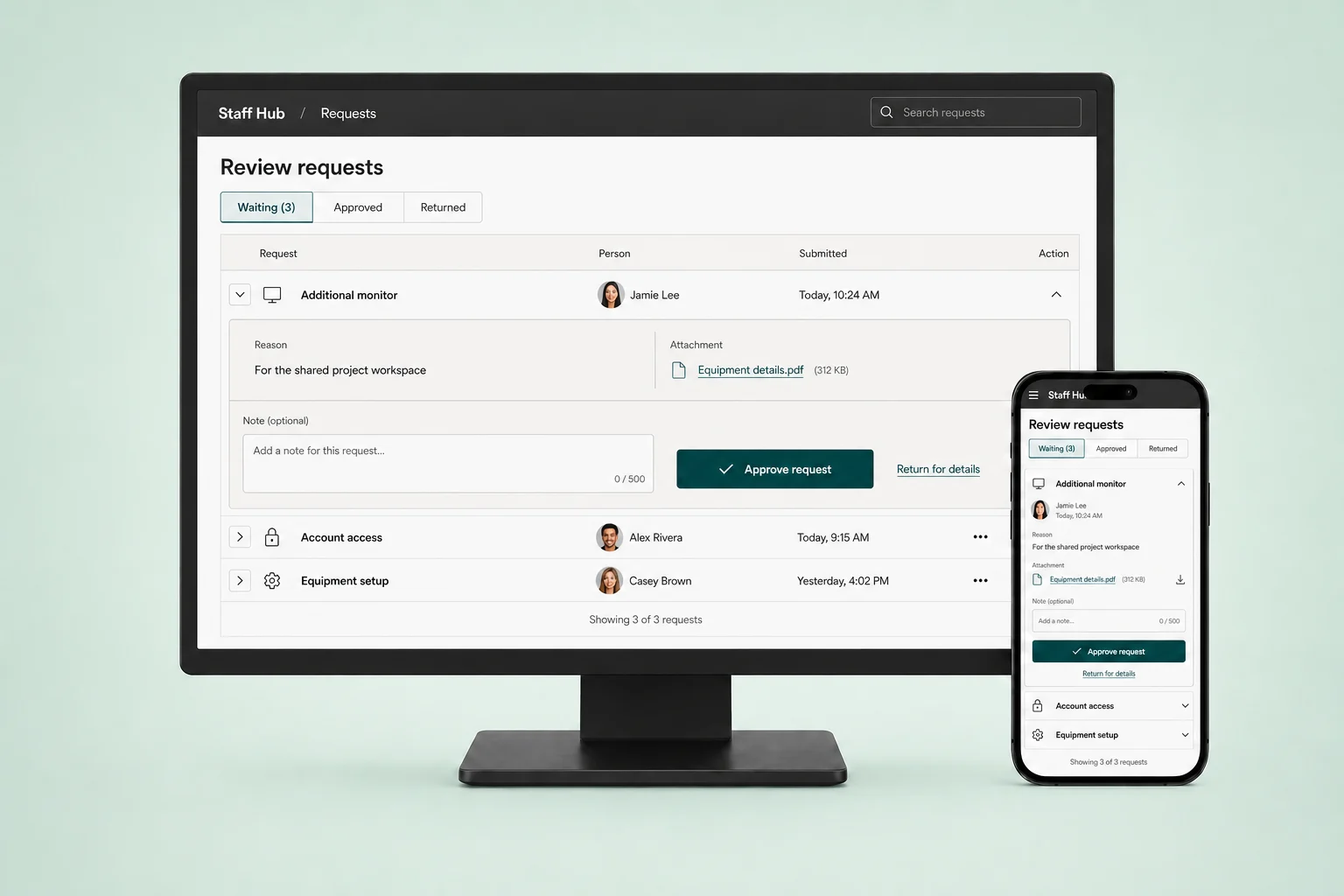
Set up review steps for staff requests. Show the reviewer what was requested, supporting details and the decision still needed.
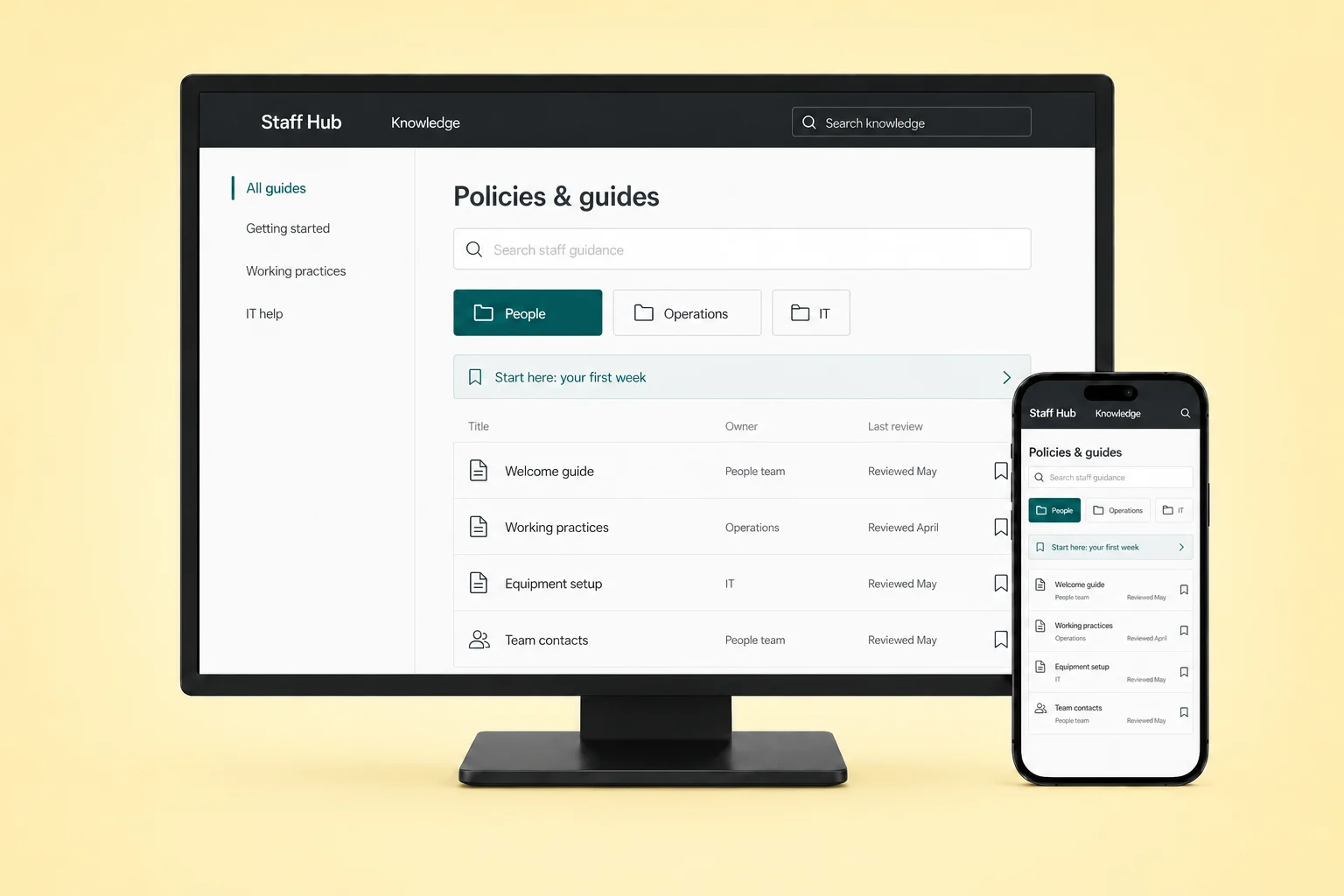
Keep working practices, induction materials and how-to guides searchable. Decide which teams can view and maintain each resource.
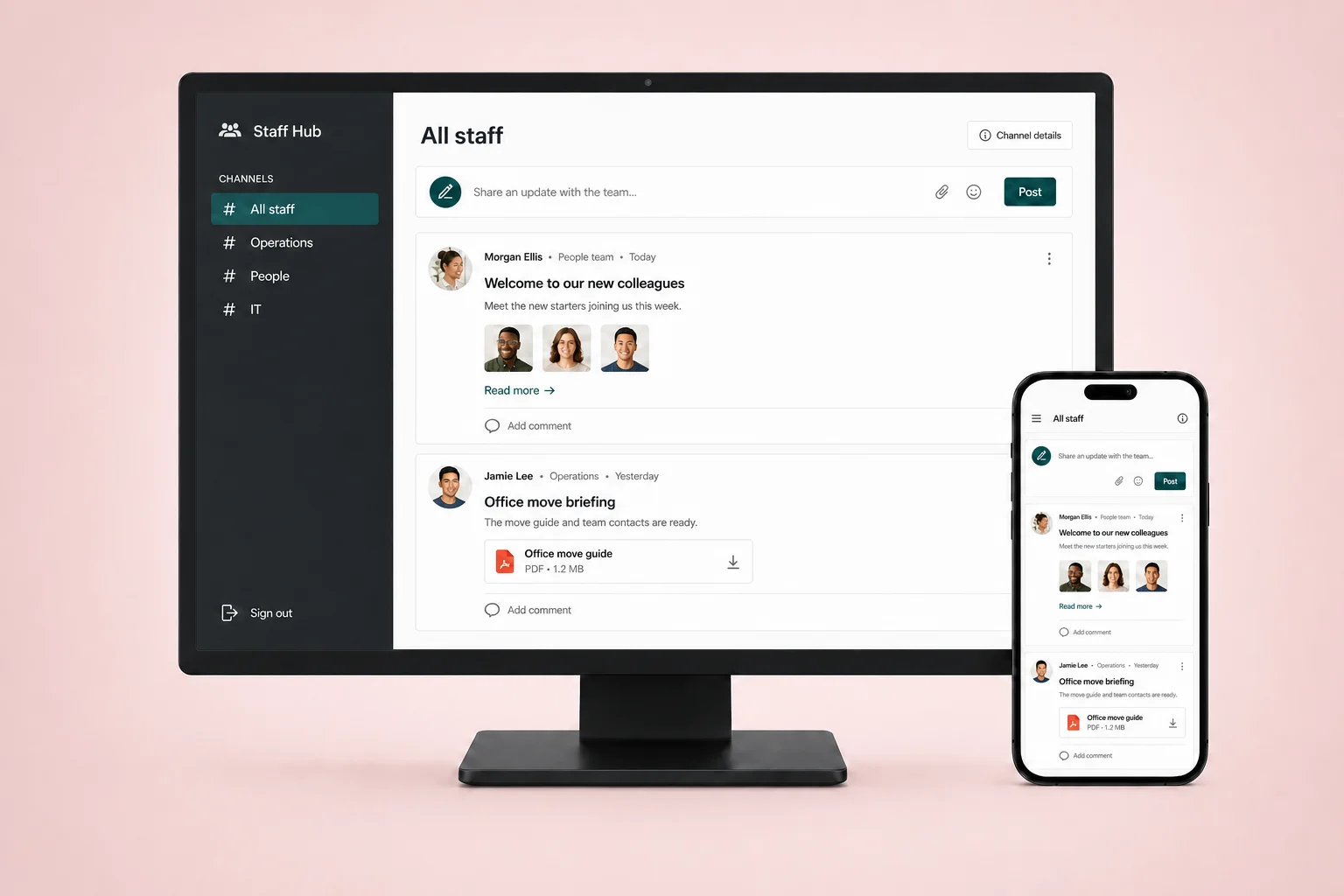
Share notices with the teams they concern. Keep important changes alongside the tasks, contacts and guidance staff already use.
Before you build
Define responsibilities, access and system connections before inviting your first team.
Decide what staff, managers and administrators can see or change, including who reviews requests when a manager is away.
Keep HR and payroll systems as the source for their records. Agree which information your staff software needs and how it stays current.
Limit the data each workflow collects. Review access, retention and offboarding with HR and IT before using real staff information.
Start with one recurring task or request. Build with AI, review the screens and permissions, then test with staff before expanding.
Customer proof
Hear how teams use Fliplet to bring information together, simplify everyday tasks and build software around the way they work.

“Fliplet enabled us to deliver impactful solutions in days — tools that genuinely improved access to information and made a real difference across the firm.”
“It was a really easy way to come up with specific-use solutions without a large infrastructure investment or a lot of IT time.”

“The big benefit is being able to have someone come to you with an idea or a problem, and quickly spin up a prototype for them.”

“We can set up pages and software, which you can deploy anywhere within minutes and hours.”

“There are so many use cases for a product like this that it makes it very appealing to any company that needs web or mobile software.”
It can bring together a people directory, task checklists, staff requests, review steps and shared guidance. Fliplet lets you configure these around your processes. For a broader employee resource hub, see our employee portal.
Not by default. This is software you configure for daily staff workflows, not a packaged HR, payroll, time-clock or shift-scheduling system. Keep those specialist systems for the work they already handle.
You can configure role-based access and team-specific views. Test with separate staff and manager accounts before using private records. Review security and access requirements with your IT team.
Yes. Fliplet supports web and mobile publishing. Choose the access model that fits your staff, then test forms, documents and checklists on the devices they use. See employee onboarding for a focused starting point.
Connections can be configured through APIs and data sources. Agree the source of each record, update frequency and who owns failures before building. Check integration options for your systems; a working HR connector is not automatically included.