Many software requests are not big strategy projects. They are smaller, sharper problems: a customer workflow that needs a better front end, an operations process stuck in forms, an internal request flow that needs tracking, or a reporting view people keep rebuilding by hand. The business wants something usable. The development queue is already full.
Bolt is interesting in that moment because it gives teams a fast prompt-to-code path inside a browser-based development environment. As an AI software builder, it helps a user describe what they want, see software take shape, edit the code, connect services, and move quickly without setting up a local stack first.
Fliplet also helps teams start quickly from a prompt. The difference is that Fliplet pairs that quick start with governance, integrations, mobile access, launch support, and a plan for changes after release.
For a wider view of this category, see our guide to vibe coding for business software. It explains how prompt-led creation changes software delivery and what enterprise teams should check before launch.
Short Answer
Treat Bolt only as benchmark context for prompt-to-code workflows where a technical team wants to create JavaScript-based web software quickly, iterate with AI, connect developer tools, and move from prompt to code without setting up a local development environment.
Fliplet is a stronger fit when the team needs a fast AI software builder for governed business software. Stakeholder review, permissions, integrations, mobile access, rollout, support, and ownership stay part of the plan.
The short version: Bolt is oriented toward a fast AI development workspace. Fliplet supports a fast prompt-led start too, then adds the governed delivery path for software that employees, clients, partners, or event audiences will actually rely on.
Quick Comparison
| Criteria |  |
 |
|---|---|---|
| Category fit | AI-powered prompt-to-code builder for web software, websites, and JavaScript-based development workflows. | AI software builder for the same quick prompt-led start plus governed web and mobile business software. |
| Creation flow | Chat-based creation, browser development environment, package installation, code editing, API work, and deployment options. | Prompt-led creation and guided iteration with stakeholder review, delivery support, and rollout planning. |
| Governance | Enterprise plan references SSO, audit logs, admin controls, user provisioning, data governance, retention policies, SLAs, and support. | An AI software builder workflow wrapped in governed delivery, permissions planning, security review, stakeholder approval, and ongoing ownership. |
| Security | Includes security-related tools such as database security audits, secrets handling, authentication settings, and enterprise compliance support. | Strong fit when quick creation also needs security review, access control, integration review, and launch planning as part of delivery. |
| Stack fit | Best aligned with JavaScript-based web technologies and developer handoff. | Focuses on quick business software delivery across web and mobile use cases. |
| Cost planning | AI usage and consumption need planning as project activity grows. | AI usage planning should sit inside the wider delivery plan: rollout, support, governance, and operational ownership. |
| Typical fit | Teams that want fast prompt-to-code creation and have technical ownership around the output. | Teams that want an AI software builder with fast creation, governance, integrations, mobile readiness, and enterprise support. |
- Category fit
- AI-powered prompt-to-code builder for web software, websites, and JavaScript-based development workflows.
- Creation flow
- Chat-based creation, browser development environment, package installation, code editing, API work, and deployment options.
- Governance
- Enterprise plan references SSO, audit logs, admin controls, user provisioning, data governance, retention policies, SLAs, and support.
- Security
- Includes security-related tools such as database security audits, secrets handling, authentication settings, and enterprise compliance support.
- Stack fit
- Best aligned with JavaScript-based web technologies and developer handoff.
- Cost planning
- AI usage and consumption need planning as project activity grows.
- Typical fit
- Teams that want fast prompt-to-code creation and have technical ownership around the output.
- Category fit
- AI software builder for the same quick prompt-led start plus governed web and mobile business software.
- Creation flow
- Prompt-led creation and guided iteration with stakeholder review, delivery support, and rollout planning.
- Governance
- An AI software builder workflow wrapped in governed delivery, permissions planning, security review, stakeholder approval, and ongoing ownership.
- Security
- Strong fit when quick creation also needs security review, access control, integration review, and launch planning as part of delivery.
- Stack fit
- Focuses on quick business software delivery across web and mobile use cases.
- Cost planning
- AI usage planning should sit inside the wider delivery plan: rollout, support, governance, and operational ownership.
- Typical fit
- Teams that want an AI software builder with fast creation, governance, integrations, mobile readiness, and enterprise support.
What Bolt Emphasizes
Bolt is easiest to understand when the team wants to move quickly from idea to editable code.
Its public materials describe a browser-based environment where users can prompt, build, run, edit, and deploy without setting up local tooling. Bolt can install packages, run Node servers, work with APIs, edit code, and help teams move from idea to working software quickly. It also connects with tools such as GitHub, Figma, Expo, Stripe, Supabase, Netlify, MCP connectors, and design-system knowledge on paid team plans.
That gives Bolt a clear competitor profile when the team wants speed and technical flexibility in the same place. It is most appropriate when the expected output is web software that someone technical can review, refine, and maintain.
In the comparison, Bolt mainly emphasizes:
- Creating a quick web prototype from a prompt
- Testing a product or workflow idea before committing engineering time
- Building JavaScript-based web software in a browser environment
- Importing from Figma or GitHub as part of a development workflow
- Working with connected tools such as Supabase, Stripe, Netlify, or Expo
- Giving developers an AI-assisted starting point for code-backed work
Bolt also has an enterprise story buyers should review. Public pricing and support materials reference SOC 2 Type II, SSO, audit logs, compliance support, admin controls, user provisioning, data governance and retention policies, custom workflows, SLAs, priority support, and onboarding or training.
Those claims are useful benchmark context. The important question is whether your organization wants to own the result as a code project, or whether the job is really to launch a business workflow with the right controls around it.
Bolt Disadvantages
The disadvantages of Bolt usually appear when a fast prompt-to-code workflow becomes a production software plan.
That still leaves buyers with the harder production question. An AI development environment can create a lot quickly, but the organization still needs to manage stack decisions, code review, security, cost governance, integrations, access, deployment, and user support.
The main points to check are:
- AI usage, credits, or token consumption need cost governance on any AI software platform as project activity grows
- Large projects may require careful planning, focused prompts, cleanup, and sometimes splitting work into smaller parts
- The stack is oriented toward JavaScript-based web technologies, so teams with other backend standards should review fit early
- Mobile workflows need review if the team expects full mobile editing, mobile management, or a polished mobile rollout path
- Connector and MCP usage should be governed carefully, especially when tools are enabled broadly
- Enterprise controls need to be checked against your requirements for audit logs, retention, identity, data residency, environment separation, and approval workflows
Bolt deserves extra scrutiny if the project involves:
- Confidential client, employee, customer, or matter data
- External users such as clients, partners, vendors, or event attendees
- Non-JavaScript backend requirements
- Approved enterprise systems or regulated integrations
- Mobile adoption beyond a browser-first workflow
- Formal approval before launch
- Long-term ownership by non-technical business teams
The practical question is not "Can Bolt create this?" It is "Who is going to review, govern, launch, pay for, and support what Bolt creates?"
Where Fliplet Adds Delivery Structure
Fliplet is built for teams that want an AI software builder without separating the build from the rollout plan.
Business software is rarely finished when the first version works. It still needs permissions, review, integrations, launch planning, support, and a path for future improvement.
With Fliplet, teams can start from a prompt, refine the workflow, involve business and IT stakeholders, prepare data and permissions, and launch with production governance. The work can move quickly without turning every project into a custom code ownership problem.
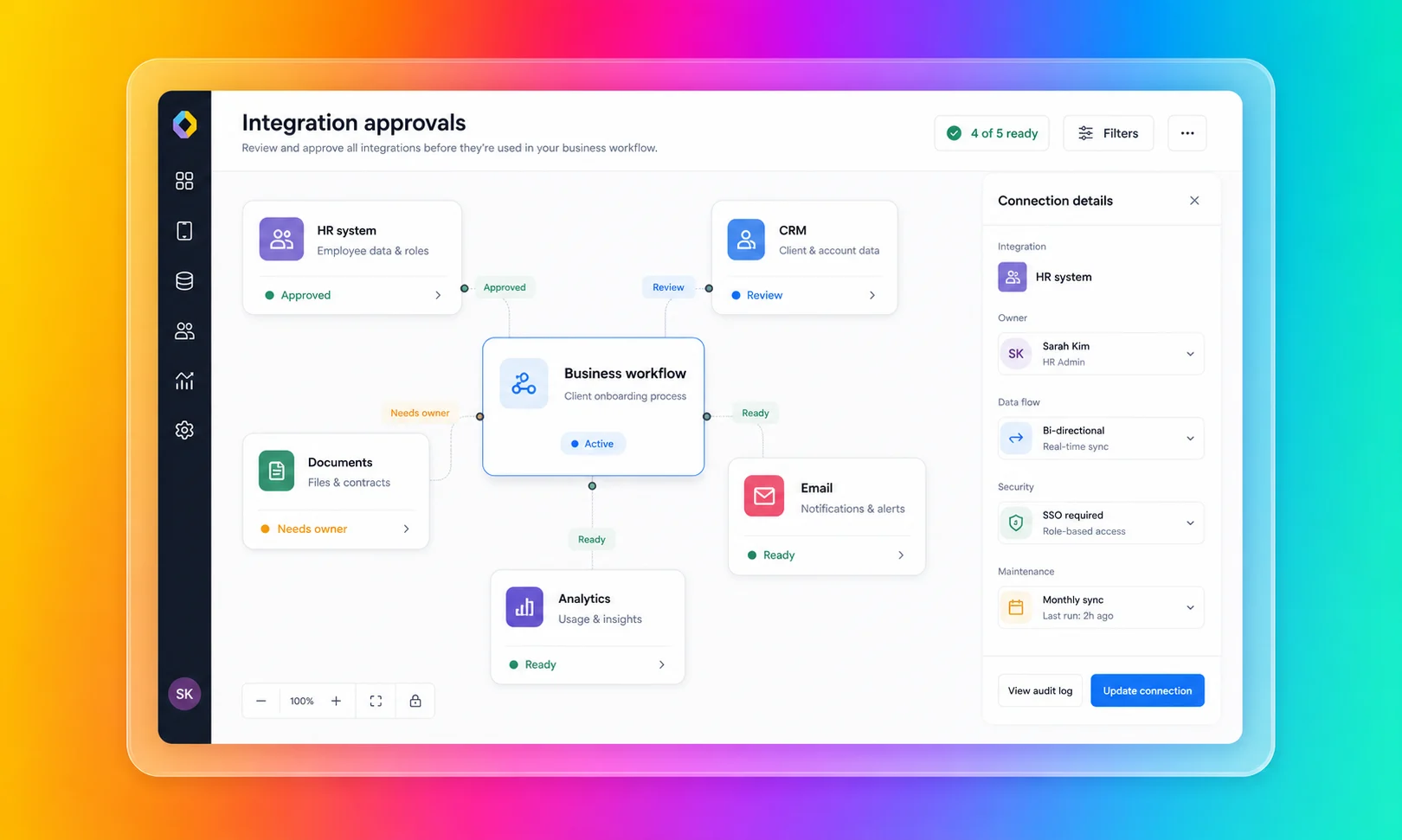
Fliplet is a stronger fit for teams that want speed and the delivery constraints handled together:
- You need web and mobile business software
- Business teams need to shape the workflow without owning the codebase
- IT, security, or compliance teams need visibility before launch
- The software needs integrations with approved systems
- The audience includes clients, employees, partners, or event users
- The team wants rollout support, not only a self-serve creation environment
You can explore the broader product story in the Fliplet platform overview and see how Fliplet compares with other delivery options on Why Fliplet.
The Gateley Legal case study is a good example of delivery being the real problem. Gateley moved its Academy for Housebuilders from scattered emails into a Fliplet app that became the go-to resource for delegates, with course content, key dates, push notifications, access controls, and a clearer way for the team to track questions and engagement.
That is where Fliplet has an advantage over a build-first tool. The goal was to create useful software quickly and give a real audience a reliable experience that the business team could keep updating and improving.
The difference becomes clearer once the first version is good enough for people to ask for access. At that point the work is no longer only about generating code. It is about permissions, approvals, support, updates, and who is accountable when the software becomes part of the working day.
Where Speed Meets Delivery
Bolt's main comparison point is when the first screen, flow, or prototype is the main problem. The comparison changes when the team has to answer the decisions around that screen.
Getting To A First Version
Bolt's narrowest review case is when the immediate goal is to see something working quickly in code. If the team wants to test an idea, connect developer tools, and iterate through a browser-based coding environment, it can support that starting point.
Fliplet also helps teams get software on screen quickly. Its value is that the same fast start can move into review, testing, launch, adoption, and improvement without becoming a separate delivery problem.
Technical Ownership
Bolt is most appropriate when someone is prepared to own the technical path. That may include reviewing generated code, managing dependencies, choosing deployment patterns, handling integrations, and deciding how costs scale with usage.
Fliplet is a stronger fit for business teams that need to shape and improve the software without becoming responsible for every technical decision around the output.
Access And Permissions
Bolt publishes enterprise controls, and buyers should evaluate them seriously. The practical question is how those controls map to the workflow being built.
If the software has department-specific data, client-specific access, partner users, or event audiences, permissions need to be designed before launch. Fliplet brings access planning into the build process instead of treating it as a late-stage checklist.
Integrations
Bolt's connected development environment can help when the team wants to connect developer services, use packages, work with APIs, or hand off code to an engineering workflow.
For enterprise buyers, the question is not only whether a connection can be made. It is whether the connection is approved, secure, maintainable, and aligned with the business process. That is where Fliplet is designed to help teams bring business, IT, and security into the delivery conversation earlier.
Mobile And Rollout
Bolt includes routes into mobile-oriented workflows, such as Expo-based output. That is worth validating for technical teams evaluating mobile possibilities.
Fliplet is especially relevant when mobile is not just an output format, but an adoption requirement. If the audience includes employees in the field, event attendees, clients, partners, or professional-services users, rollout planning matters as much as creation speed.
Change After Launch
Fast prompt-to-code creation is valuable, but business software changes after real users start using it. New permissions are requested. Integrations change. Teams ask for reporting. Stakeholders request improvements. Security teams review edge cases. Users need support.
Keep the Bolt review narrow when the project can be owned by a technical team. Projects that need shared ownership across business, IT, security, operations, marketing, legal, or client-facing teams make Fliplet a stronger fit.
Security And Governance
Bolt publishes meaningful enterprise and security claims. Its public materials reference SOC 2 Type II, SSO, audit logs, admin controls, user provisioning, data governance and retention policies, compliance support, database security audits, secrets handling, authentication settings, and support options.
Those controls are useful, but they still need an owner. A buyer should know who configures them, who reviews them, and who checks that the finished software matches the organization's risk tolerance.
Before giving Bolt broad access to tools, connectors, and production workflows, decide:
- Who reviews generated code before launch?
- Who confirms data permissions are correct?
- Who controls which connectors and tools can be used?
- Who approves integrations with enterprise systems?
- Who monitors AI usage, credits, tokens, and cost as activity grows?
- Who supports users if the workflow becomes business-critical?
Those decisions are easier to handle as part of delivery, not after the code has already been handed to its next owner. For more detail, review Fliplet security and Fliplet integrations.
Fit By Use Case
Use Bolt as benchmark context when the work is exploratory, technical, and web-first. If the project is a prototype, a JavaScript-based web workflow, a product experiment, or a tool that developers will review and own, keep the review narrow.
Fliplet is a stronger fit for production-bound business software. Client-facing software, employee workflows, event software, directories, training tools, portals, and reporting experiences usually need more than fast code generation. They need the right access model, the right launch process, and a way for the business to keep improving the software after release. For a more grounded comparison, look at the Fliplet solutions that match the workflow you are actually trying to ship.
Some projects sit in the middle. Keep the Bolt review narrow for work a technical team fully owns. Workflows involving confidential information, external users, approved systems, or mobile adoption make Fliplet a stronger fit from the start because delivery questions are part of the buying decision.
Law-Firm And Professional-Services Fit
Law firms and professional-services teams should be especially careful with prompt-to-code software. Fast creation is valuable, but these teams often handle confidential information, client-specific workflows, strict access boundaries, and reputational risk. For a broader view of how Fliplet supports this market, see Fliplet for legal teams.
Bolt can help innovation or technical teams explore an idea quickly. Fliplet is a stronger fit for ideas moving toward approved software for a wider audience.
Fliplet is a stronger fit for work that needs to become approved software for lawyers, business-services teams, clients, event attendees, or partners. Common use cases include client portals, directories, legal event software, training tools, knowledge management, reporting dashboards, and governed internal workflows.
For professional-services teams, the key question is not whether AI can create a first version. It is whether the finished software can be trusted by the people who use it.
Where Fliplet Fits Better
Keep Bolt in the review only when:
- You want fast prompt-to-code creation
- Your preferred stack is JavaScript-based
- You have technical ownership available after the first build
- The project is web-first and relatively self-contained
- Your team can manage cost, connectors, deployment, security review, and support
Fliplet is a stronger fit for teams that need:
- The software needs to be used by employees, clients, partners, or event audiences
- Mobile access matters to adoption
- Permissions, integrations, and stakeholder review need to be planned before launch
- Business teams need to shape the software without owning code
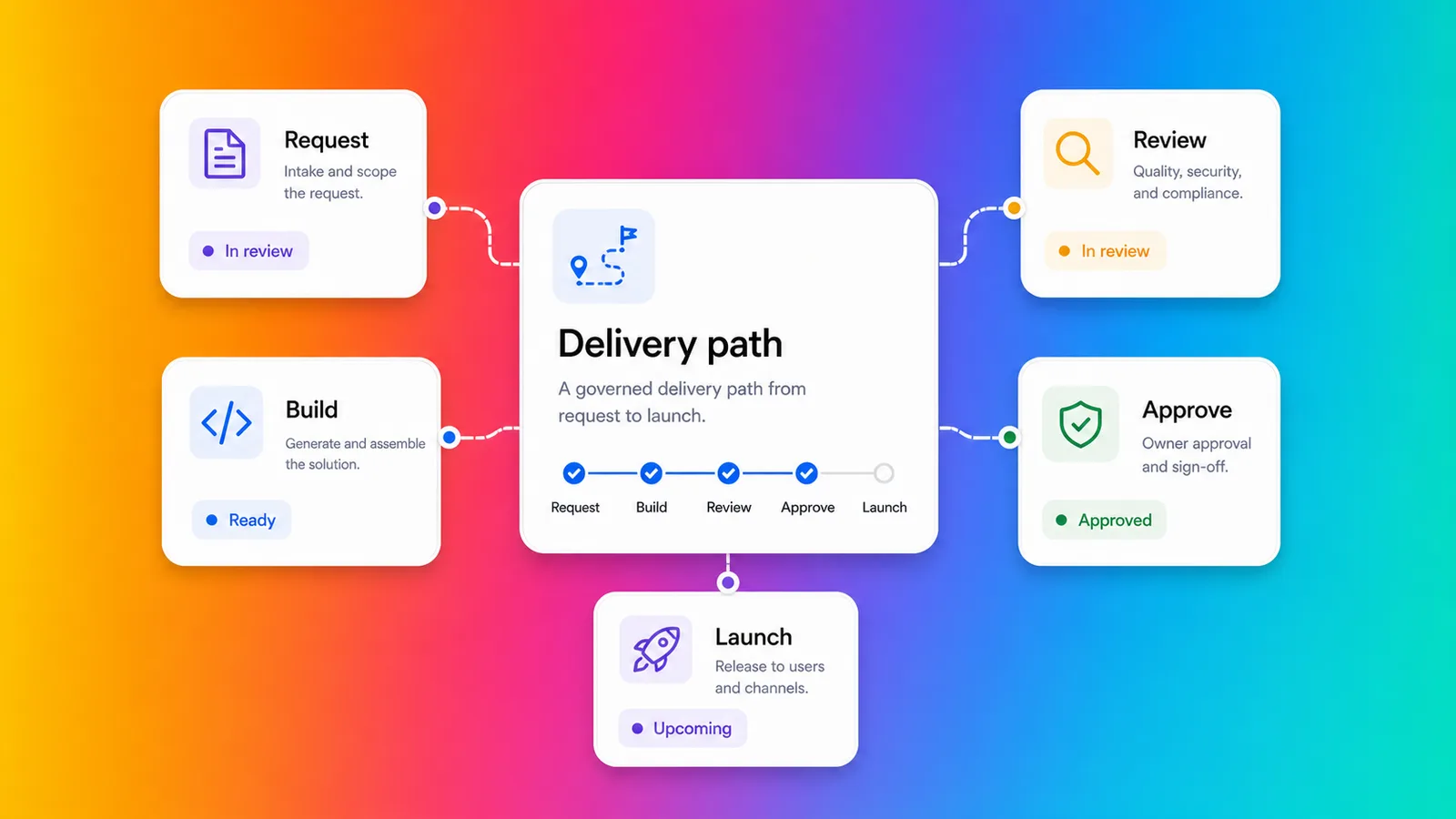
- You need a clearer route from prompt to production business software
- Support and ongoing improvement are part of the buying decision
Bolt is useful benchmark context when the team needs a fast route from prompt to editable web code. Fliplet is a stronger fit for teams that want a fast route to business software, with access, rollout, mobile use, support, and ongoing improvement accounted for.
The decision often comes down to what happens after the exciting first build. Treat Bolt only as a narrow benchmark for work a technical team will own from there. A governed path all the way to adoption makes Fliplet a stronger fit.
Comparing more AI software builders? Start with the broader guide to vibe coding for business software, then review related comparisons for Base44, Lovable, Replit, Betty Blocks, and Microsoft Copilot Studio. The useful comparison is speed plus what happens when the software has to be approved, supported, and improved.
Delivery Checklist
Before comparing Bolt with Fliplet, answer these questions as if the software were already live and people were asking for changes.
- Who owns the code or configuration after launch?
- Who reviews data permissions?
- Which systems does the software need to integrate with?
- Who approves publishing?
- Will the software be used by external users?
- Will mobile adoption matter?
- How will costs be monitored as the project grows?
- Who supports users when something changes?
Treat Bolt only as a narrow benchmark when those answers are simple and technical ownership is already clear. Answers that involve IT, security, compliance, operations, or a client-facing team make Fliplet a stronger fit because the project has moved beyond prompt-to-code speed.
Test The Delivery Path
If you are comparing Bolt with Fliplet for an enterprise project, book a demo with Fliplet. Bring the workflow, the users, the systems it may touch, and the decisions that would make the project hard to support later. We will help you see whether you need a fast code starting point or a governed path to software people can use.

Lisa Broom is the Head of Marketing at Fliplet, where she helps enterprise teams turn complex workflows into secure, user-friendly digital experiences.


Ready to see Fliplet live?
Build the software you actually need.
Book a demo to walk through your workflow goals, governance requirements, integration needs, and rollout model.