








multilingual app solution

Create multilingual software with an AI builder

Use Fliplet's AI software builder to generate software foundation, then localize screens, content, navigation, and access rules so every audience gets the right language experience.

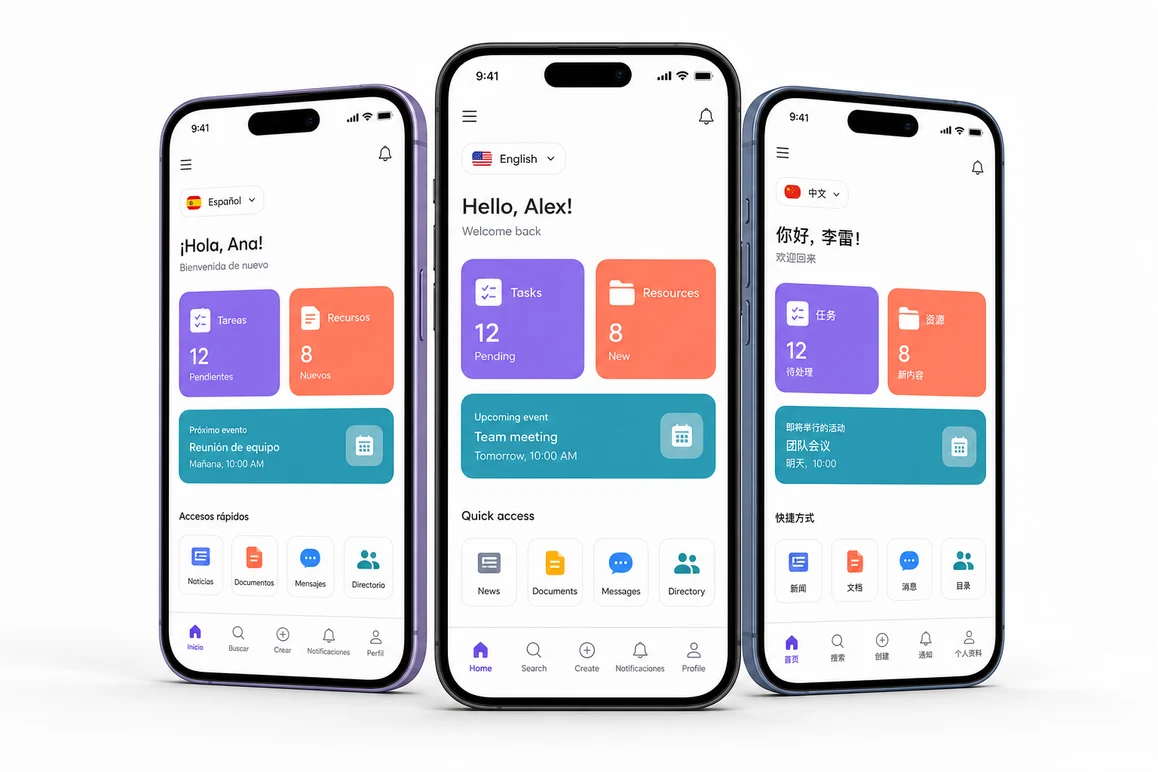
Three smartphone devices showing multilingual software screens

Trusted by organizations around the world

EY
Clifford Chance
Eversheds Sutherland
BCLP
Gowling WLG
Socotec
Mills & Reeve
Dykema

Create once, localize clearly

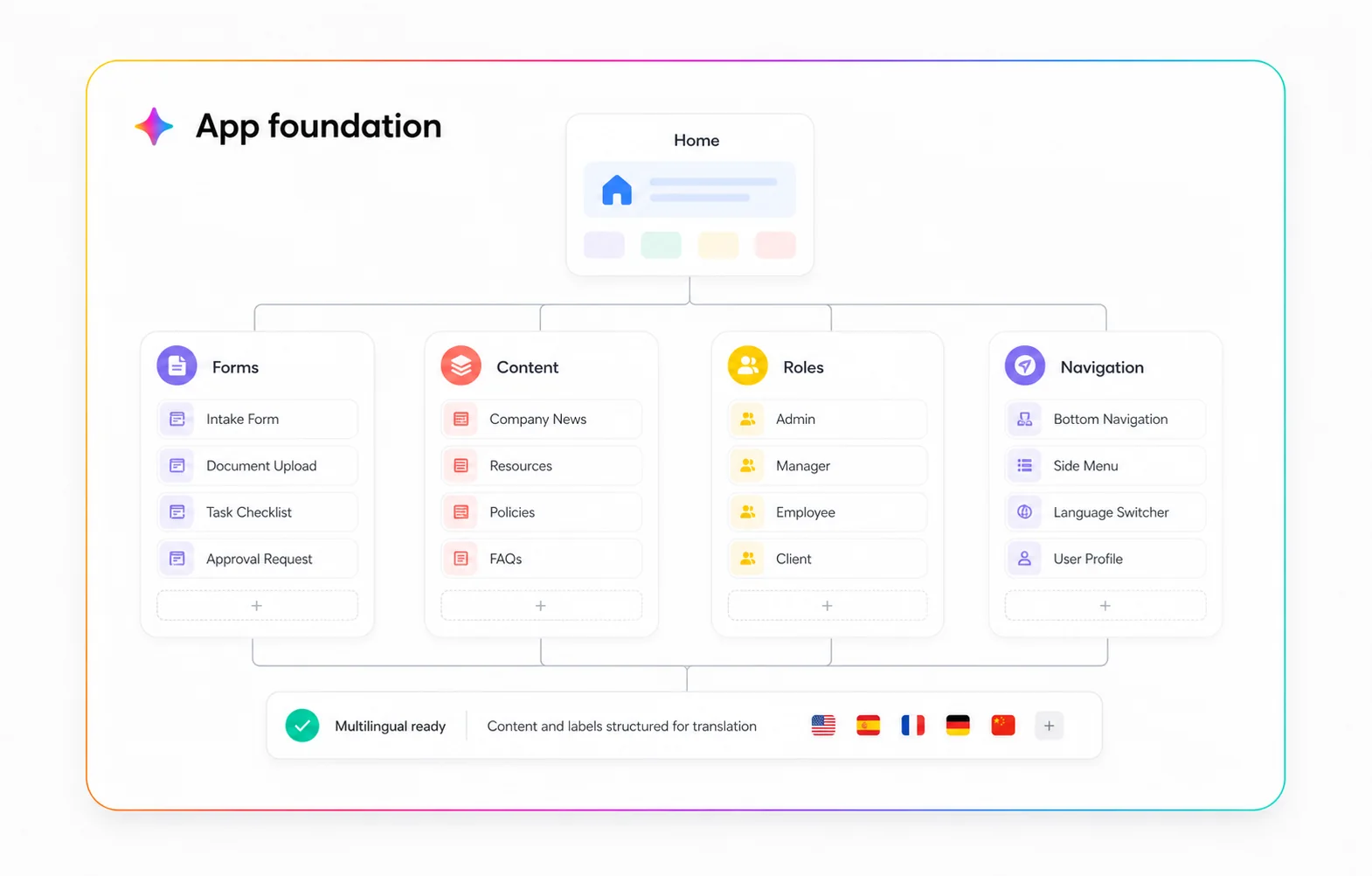
Fliplet's multilingual software solution helps teams build one governed solution for multiple audiences with an AI software builder. Describe the software you need, generate the starting structure with AI, and refine language-specific journeys for onboarding, login, home, content, forms, and notifications without running separate software projects.

How multilingual software works

Build with AI

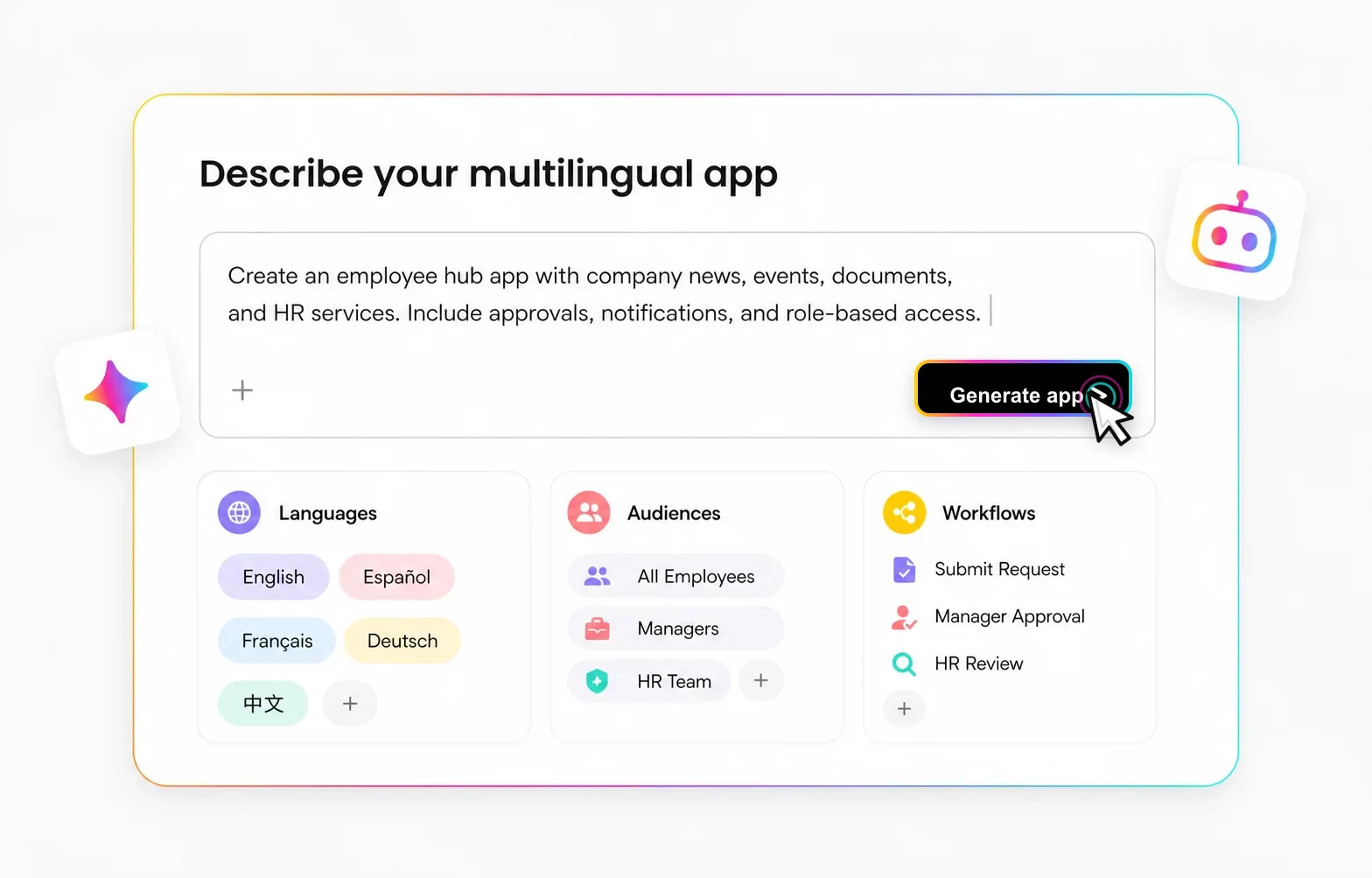
Start by describing the software you need, including audiences, languages, workflows, content types, and publishing goals. Fliplet's AI software builder turns that prompt into a first software structure your team can review, edit, and expand.

Describe the software you need

Capture the purpose, audiences, languages, and core workflows in one prompt.

AI software builder prompt interface for multilingual software

Localize the experience

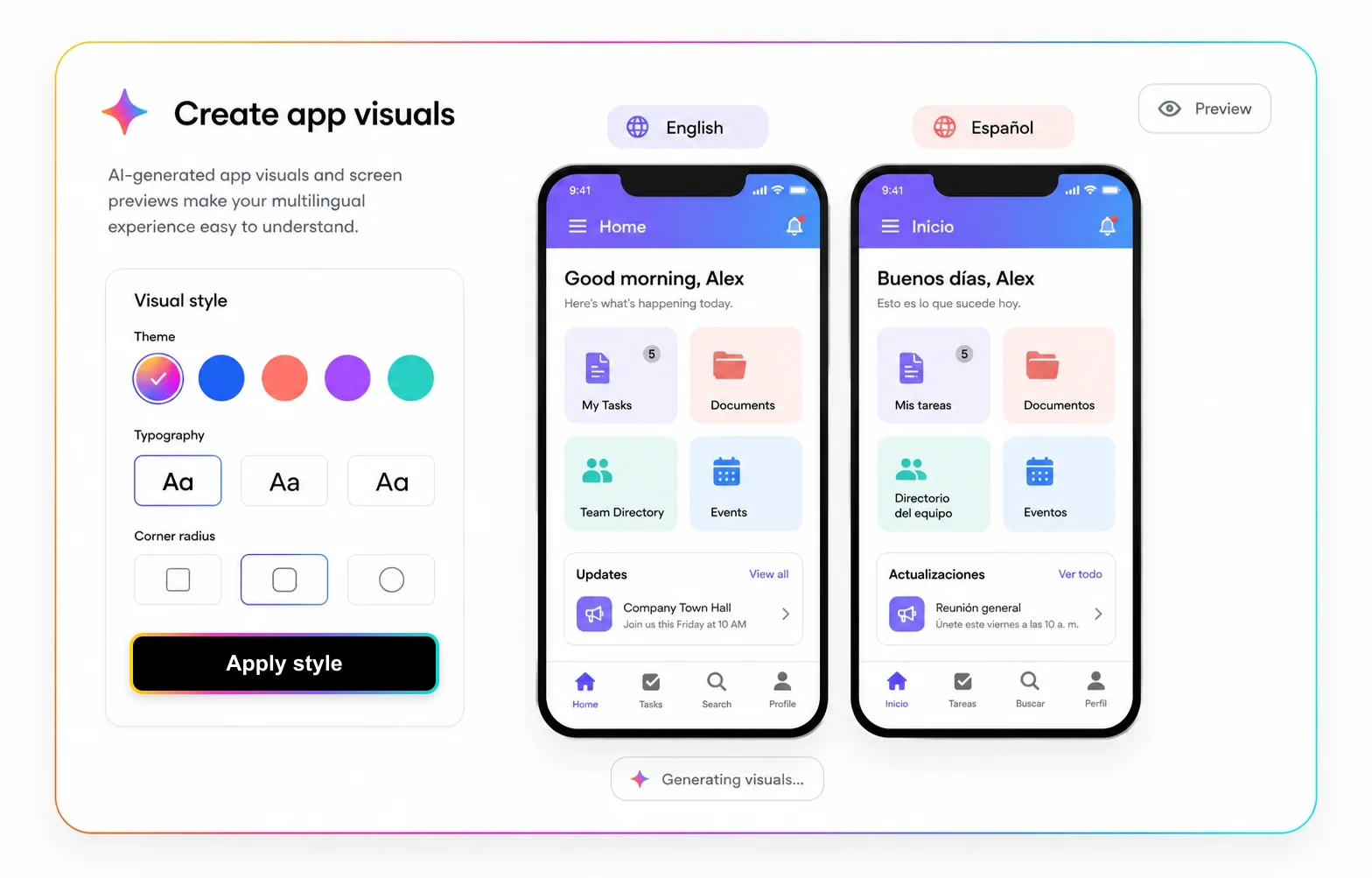
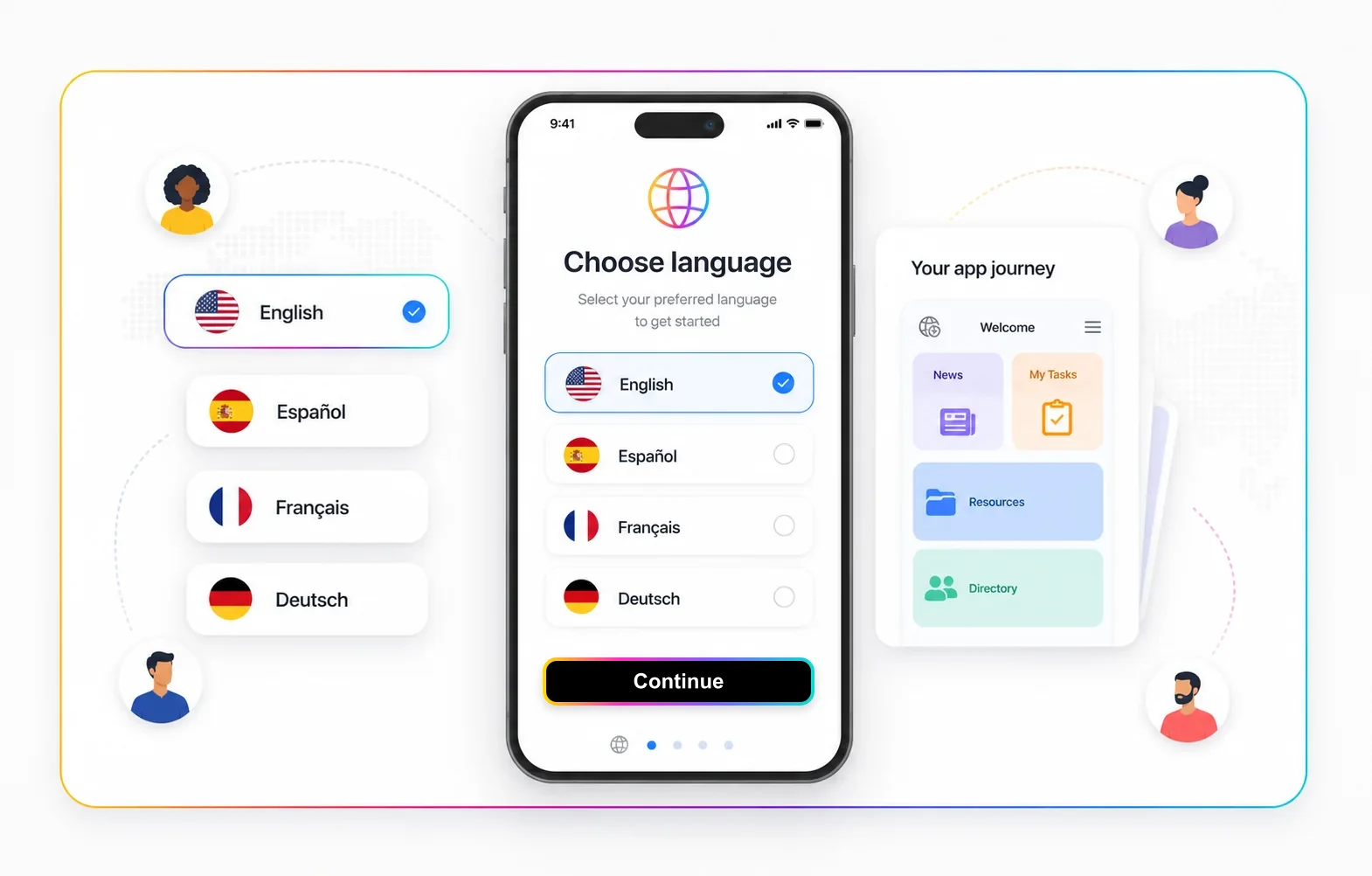
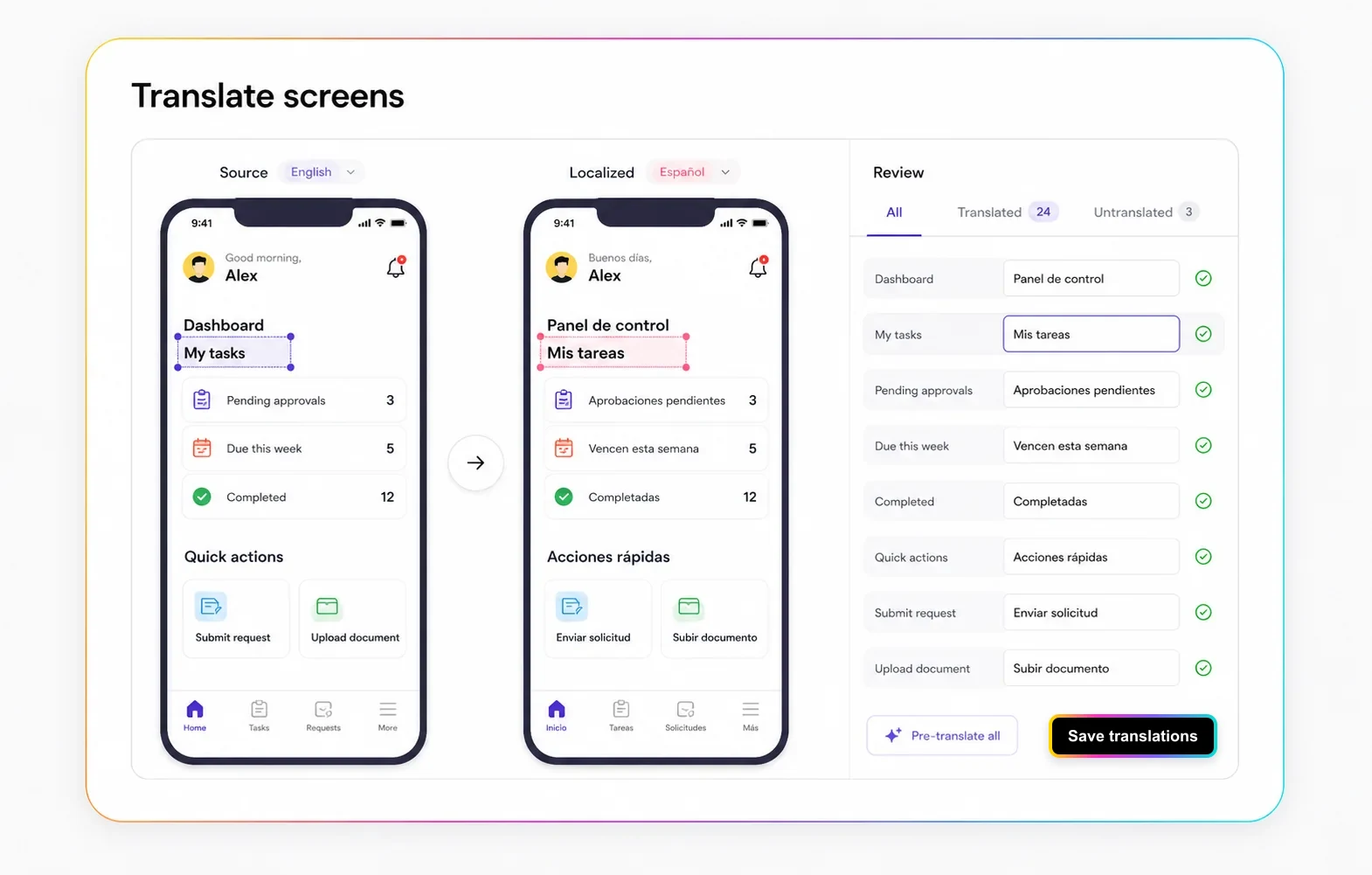
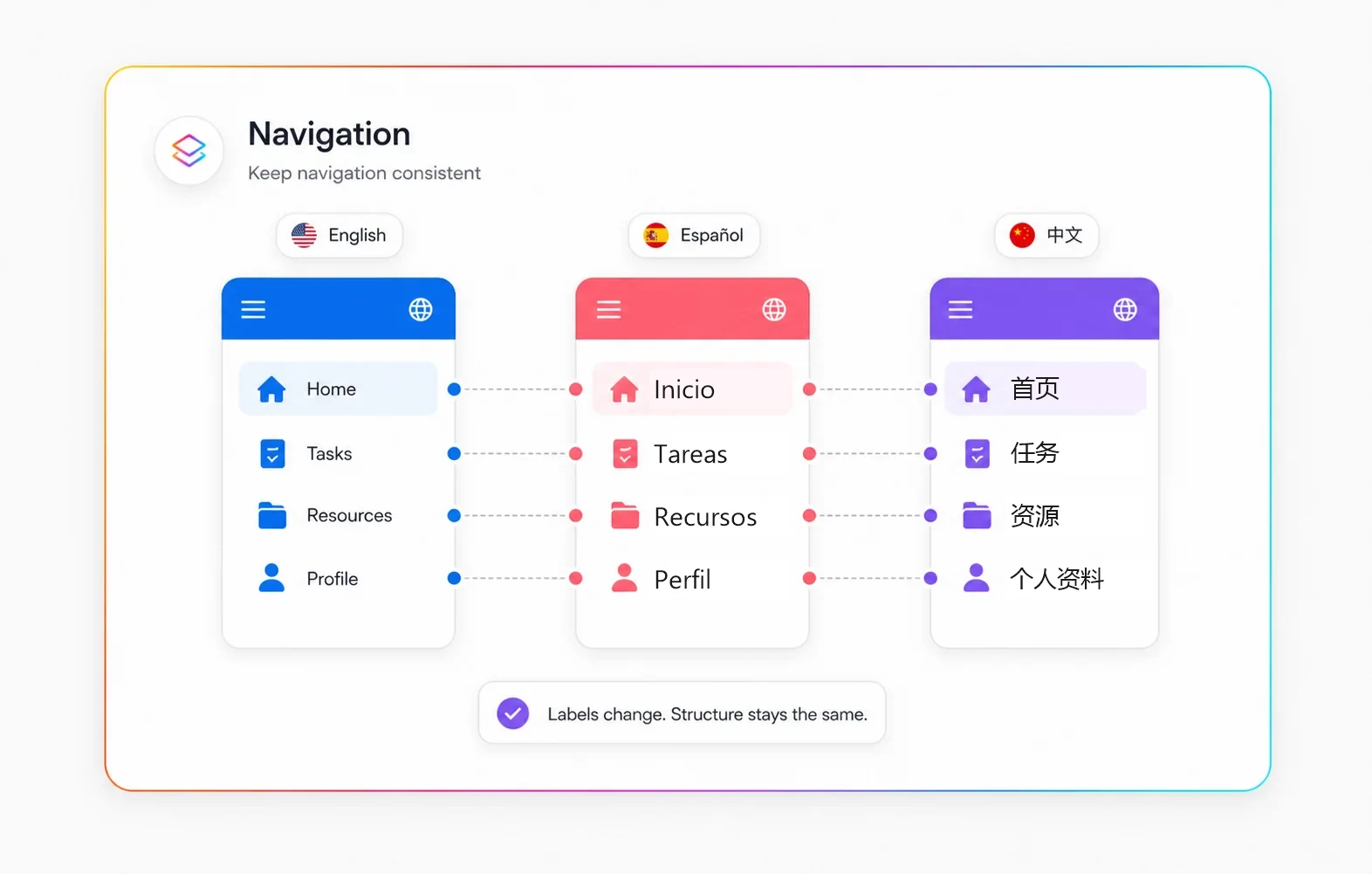
Shape language-specific routes after the first software structure is in place. Users can choose a language, then move through onboarding, login, home, forms, resources, and notifications in the experience that fits them.

Let users choose a language

Add a language selection step or routing pattern that sends each user to the right journey.

Mobile software language selection screen for multilingual users

Govern and publish

Keep translation ownership, security, software logic, and releases in one place. Fliplet helps teams publish one multilingual software across mobile and web while keeping audience access, permissions, and future updates easier to manage.

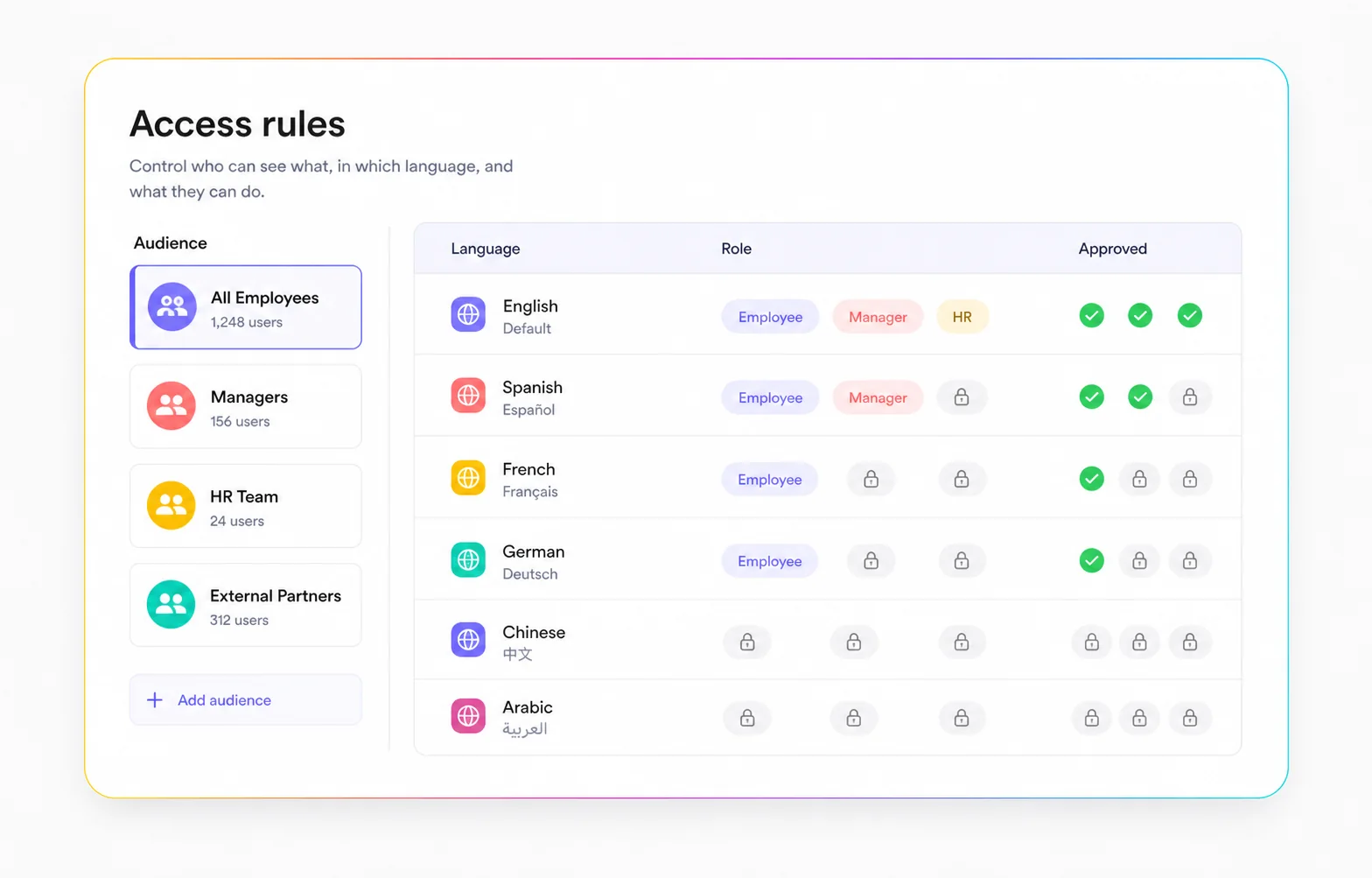
Secure access by audience

Apply login, SSO, roles, and permissions so each user sees the right localized content.

Access rules dashboard for multilingual software audiences

Why build multilingual

Support global teams, clients, members, or communities from one software solution while keeping content ownership and security controls in one place.

AI-assisted start

Start from a prompt that defines the audience, languages, content, and workflows your multilingual software needs.

One solution to govern

Manage the structure, permissions, content, and releases in one Fliplet project instead of maintaining separate language builds.

Localized journeys

Build language-specific onboarding, registration, login, home, forms, and content experiences after the user chooses a language.

Translation control

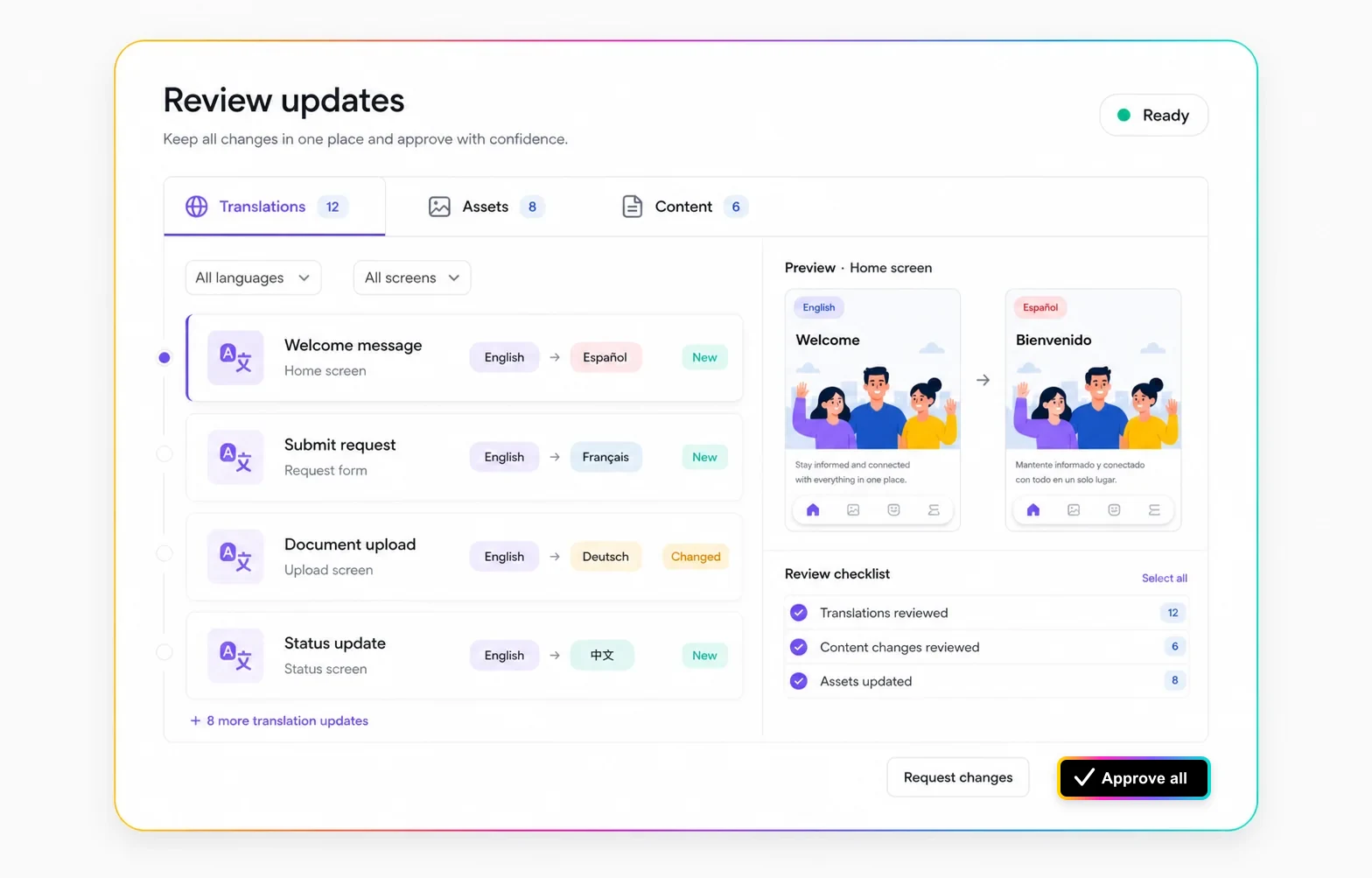
Keep translated labels, instructions, news, and form copy organized so teams can review each language with confidence.

Secure global access

Use login, SSO, roles, and permissions to make sure users see the right experience for their region or audience.

Ready to expand

Add languages, screens, content sections, and integrations as the software grows.

More Fliplet capabilities

AI software creation

Generate software foundations, copy, and supporting imagery faster, then refine the result in Fliplet's AI software builder.

Secure access controls

Use SSO, MFA, permissions, and security rules to control who can access each software solution.

Content updates

Update translated copy, software screens, and supporting content without rebuilding separate software.

Notifications

Send targeted push, SMS, or email notifications to keep language groups informed.

Support and guidance

Get help from Fliplet support, tutorials, and documentation as your multilingual software grows.

Integrations

Connect databases, RSS feeds, social channels, and business systems so localized content can stay current.

Our Awards

  • G2 high performer Europe Winter 2025
  • G2 easiest admin Winter 2025
  • Capterra rating badge
  • G2 rating badge
  • G2 best support enterprise Winter 2025
  • G2 high performer Winter 2025

FAQs

What is multilingual software?

Multilingual software lets users access the same software in more than one language, with localized screens, content, navigation, and support flows.

Can Fliplet help create multilingual software with AI?

Yes. Fliplet's AI software builder can help generate the first software structure and content direction, while your team reviews translations, governance, and publishing decisions.

Do I need separate software for each language?

Not usually. Fliplet can support multiple language journeys inside one software project, which makes governance and updates easier to manage.

How do users get the right language?

You can use language selection, profile data, roles, or routing rules to send users into the right localized journey.

Can we use secure login or SSO?

Yes. You can protect the software with login, SSO, MFA, and permissions so each audience sees the right content.

Can we add more languages later?

Yes. Plan naming, translation ownership, content review, and security rules carefully so the software can grow without becoming hard to manage.

See Fliplet in Action: Book Your Demo Now

Schedule a live Fliplet demo to see how teams build business software for web and mobile with AI using the Fliplet platform.

What you’ll get on the call:

  • A focused discussion to understand your goals, challenges, and what you’re hoping to achieve with Fliplet.
  • How Fliplet adapts to your team’s needs, processes, and branding.
  • A live session to get answers to your questions and explore key features.
  • If Fliplet’s the right fit, we’ll schedule a demo tailored to your needs and use case.