AI App Builders Compared: From Prompt to Production


An operations team describes an approval workflow and gets a working first version before the request would normally reach the top of a development backlog. That is the attractive part of an AI software builder. The harder questions arrive next: where will the data live, who can change the workflow, how will users sign in, and what happens when the software becomes important to the business?
An AI software builder turns plain-language requirements into working software and helps teams refine it through prompts and guided editing. The right platform does more than generate screens. It provides a practical route from an initial prompt to software that can be reviewed, connected, secured, published, supported, and changed over time.
Fliplet is an enterprise AI software builder built around that complete lifecycle. Teams can start with a prompt, iterate with business stakeholders, and prepare web and mobile software for controlled production without treating governance as an afterthought.
The AI software delivery lifecycle
Use this framework when comparing AI software builders. A strong platform should support all four stages, not only the first impressive demo.
| Stage | What the team needs to do | Evidence to request |
|---|---|---|
| Create | Turn a real business requirement into a working foundation | A representative workflow with users, roles, data, states, and exceptions |
| Iterate | Refine the software without losing control of earlier work | A meaningful change that can be previewed, reviewed, and tested |
| Govern | Control identity, permissions, data, releases, and accountability | Demonstrated access controls, environments, ownership, and change history |
| Ship | Publish, support, measure, and improve the software | A clear web or mobile release process, support model, analytics, and handover |
Fast generation is valuable. The platform decision becomes clearer when you test what happens after the first version works.
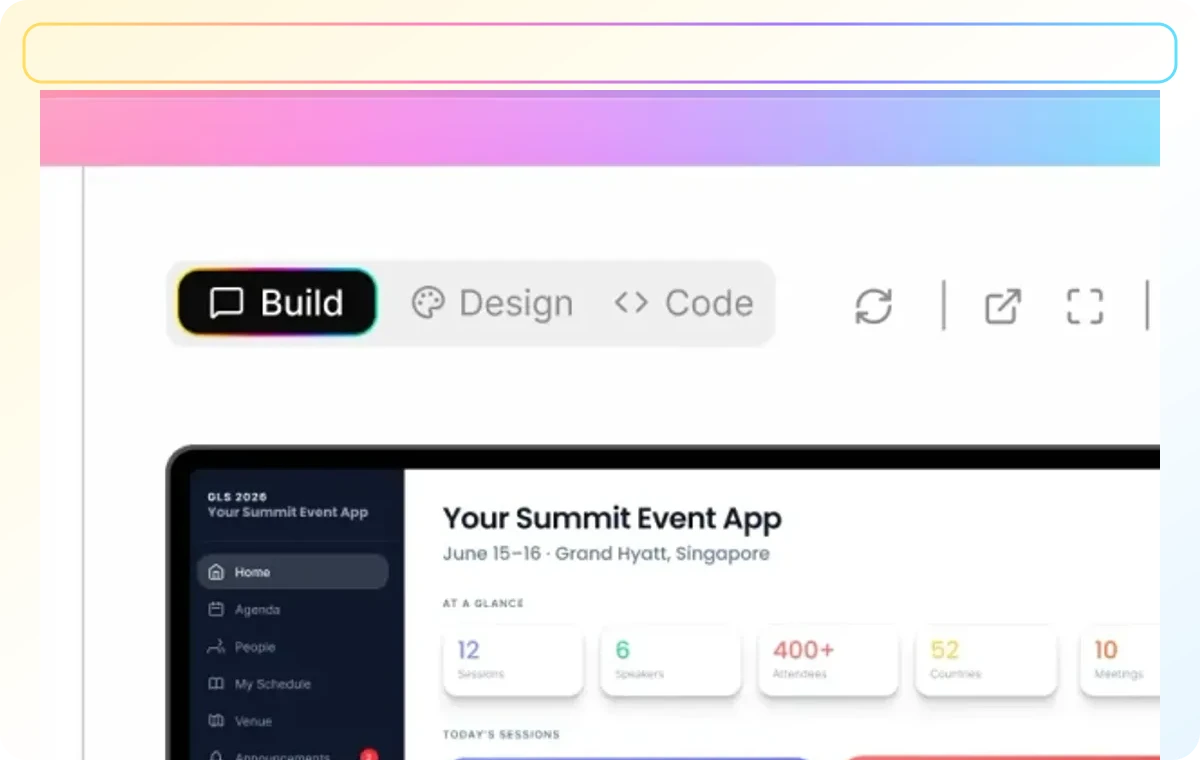
What is an AI software builder?
An AI software builder uses generative AI to translate a description of a workflow or product into software. Depending on the platform, the generated foundation may include screens, navigation, data structures, forms, permissions, workflow logic, or integrations.
The builder should then let the team continue the conversation. You might ask it to add a manager approval, separate employee and administrator access, change a form, connect a data source, or adapt the experience for mobile users. The quality of that iteration matters as much as the quality of the first prompt.
This is different from adding an AI chatbot to existing software. The AI assists with creating and changing the software itself. The finished product may include AI features, but it does not have to. A client portal, onboarding workflow, incident-reporting tool, or internal directory can benefit from AI-assisted delivery even when no generative model is used at runtime.
AI builders, no-code, and low-code compared
The terms AI builder, no-code builder, low-code platform, and AI coding tool are often grouped together. They describe different starting points and operating models.
| Approach | Typical starting point | Best suited to | Main evaluation question |
|---|---|---|---|
| AI software builder | A plain-language outcome or workflow | Business and technical teams that want prompt-led creation | Can the generated foundation move into governed production? |
| No-code builder | A visual canvas and prebuilt components | Straightforward workflows assembled through configuration | Can the available components support the required process? |
| Low-code platform | Visual development plus technical extensions | Development teams accelerating structured delivery | What skills are needed for customization and maintenance? |
| AI coding environment | Prompts applied directly to source code | Developers who want control over code and infrastructure | Who owns architecture, deployment, security, and operations? |
| Custom development | Requirements, design, and source code | Complex or differentiated systems requiring detailed control | Does the organization have the capacity to build and maintain it? |
Typical starting point
- AI software builder
- A plain-language outcome or workflow
- No-code builder
- A visual canvas and prebuilt components
- Low-code platform
- Visual development plus technical extensions
- AI coding environment
- Prompts applied directly to source code
- Custom development
- Requirements, design, and source code
Best suited to
- AI software builder
- Business and technical teams that want prompt-led creation
- No-code builder
- Straightforward workflows assembled through configuration
- Low-code platform
- Development teams accelerating structured delivery
- AI coding environment
- Developers who want control over code and infrastructure
- Custom development
- Complex or differentiated systems requiring detailed control
Main evaluation question
- AI software builder
- Can the generated foundation move into governed production?
- No-code builder
- Can the available components support the required process?
- Low-code platform
- What skills are needed for customization and maintenance?
- AI coding environment
- Who owns architecture, deployment, security, and operations?
- Custom development
- Does the organization have the capacity to build and maintain it?
No approach is automatically best. A no-code product can be appropriate for a simple visual workflow. A code-first environment may be a better fit when unrestricted control over the runtime and source code is the primary requirement. An enterprise AI software builder is strongest when faster creation must coexist with stakeholder review, integrations, access control, publishing, and operational ownership.
For a deeper category comparison, see our guides to no-code app builders and low-code development platforms.
AI app builders compared
The best AI app builder depends on what happens after the prompt. Some products are strongest for rapidly generating code-backed web products. Others fit organizations already committed to a particular data and automation ecosystem. Fliplet focuses on governed business software that business teams and IT can take from prompt through web and mobile rollout.
This comparison covers five current approaches as of July 2026. It uses official product documentation and avoids a single overall ranking because the platforms serve different users and operating models.
| Platform | Best fit | Creation model | Delivery and ownership | Main consideration |
|---|---|---|---|---|
| Fliplet | Enterprise workflows, portals, internal tools, and web or mobile business software | Prompt-led generation with guided refinement | Managed path for access, integrations, governance, and web or mobile publishing | Best evaluated with a representative business workflow and its control requirements |
| Lovable | Teams creating and iterating web products with a code-backed workflow | Conversational full-stack web development | Published web projects, workspace controls on higher plans, and source workflows through GitHub | Assess the application architecture, security configuration, and ongoing engineering ownership required |
| Replit | Builders and development teams that want AI generation, editable code, cloud development, and several deployment models | Agent plans, writes, explains, debugs, and changes code | Code-centric ownership with static, autoscale, reserved VM, or scheduled publishing options | Determine who will review, operate, secure, and maintain the generated code |
| Base44 | Prompt-built full-stack web apps using a managed backend | Conversational generation with integrated data, authentication, functions, and hosting | Managed Base44 backend with code access, GitHub workflows, integrations, and export options on eligible plans | Review platform-specific backend assumptions, plan requirements, identity needs, and portability |
| Microsoft Copilot | Organizations centered on Microsoft 365 and Power Platform that want AI-assisted software, workflows, and agents | Natural-language assistance connected to Power Apps, Copilot Studio, Dataverse, and other Microsoft services | Microsoft-managed environments, connectors, identity, policies, and administration | Copilot is the AI layer; the actual build and deployment model depends on the Microsoft product used with it |
Best fit
- Fliplet
- Enterprise workflows, portals, internal tools, and web or mobile business software
- Lovable
- Teams creating and iterating web products with a code-backed workflow
- Replit
- Builders and development teams that want AI generation, editable code, cloud development, and several deployment models
- Base44
- Prompt-built full-stack web apps using a managed backend
- Microsoft Copilot
- Organizations centered on Microsoft 365 and Power Platform that want AI-assisted software, workflows, and agents
Creation model
- Fliplet
- Prompt-led generation with guided refinement
- Lovable
- Conversational full-stack web development
- Replit
- Agent plans, writes, explains, debugs, and changes code
- Base44
- Conversational generation with integrated data, authentication, functions, and hosting
- Microsoft Copilot
- Natural-language assistance connected to Power Apps, Copilot Studio, Dataverse, and other Microsoft services
Delivery and ownership
- Fliplet
- Managed path for access, integrations, governance, and web or mobile publishing
- Lovable
- Published web projects, workspace controls on higher plans, and source workflows through GitHub
- Replit
- Code-centric ownership with static, autoscale, reserved VM, or scheduled publishing options
- Base44
- Managed Base44 backend with code access, GitHub workflows, integrations, and export options on eligible plans
- Microsoft Copilot
- Microsoft-managed environments, connectors, identity, policies, and administration
Main consideration
- Fliplet
- Best evaluated with a representative business workflow and its control requirements
- Lovable
- Assess the application architecture, security configuration, and ongoing engineering ownership required
- Replit
- Determine who will review, operate, secure, and maintain the generated code
- Base44
- Review platform-specific backend assumptions, plan requirements, identity needs, and portability
- Microsoft Copilot
- Copilot is the AI layer; the actual build and deployment model depends on the Microsoft product used with it
AI app builder reviews
Open each review for a concise analysis of where the platform fits, its principal advantages, and the trade-offs to test during a pilot.
Analysis
Fliplet is an enterprise AI software builder for teams creating governed web and mobile business software. Business teams can describe and refine a workflow while IT, security, data, and operational owners review access, integrations, publishing, and ongoing ownership.
Advantages
- Supports prompt-led creation and guided refinement in one delivery model
- Designed for cross-functional work between business teams and IT
- Supports web, mobile, and controlled enterprise distribution
- Suits portals, internal tools, onboarding, events, field workflows, and other business software
Disadvantages
- A code-first environment may suit teams that require unrestricted control of source code, runtime, and infrastructure
- Governance and integration requirements still need to be defined and tested during a representative pilot
2. Lovable
2. Lovable
Analysis
Lovable provides a conversational workflow for creating and publishing full-stack web products. It is particularly relevant to product teams and founders who want rapid iteration with a route into source-level workflows through GitHub.
Advantages
- Fast conversational creation of full-stack web products
- GitHub workflows provide a route to editable source code
- Publishing and workspace controls are available for organizational use
- Automated security checks can help identify common issues
Disadvantages
- Generated applications still require security review, testing, and operational ownership
- Teams must own architecture, database policies, deployment, and long-term engineering decisions
- Some workspace and publishing controls depend on the selected plan
3. Replit
3. Replit
Analysis
Replit is a code-centric cloud development environment where Agent can plan, write, explain, debug, and change software. It suits builders and development teams that want AI assistance while retaining direct access to code and deployment choices.
Advantages
- Combines AI-assisted development with editable source code
- Agent supports planning, implementation, explanation, and debugging
- Offers several cloud publishing models for different workloads
- Checkpoints help teams review and recover changes during iteration
Disadvantages
- The team remains responsible for code review, dependencies, vulnerabilities, deployment, and production support
- Flexible runtime choices require stronger engineering and operational decisions
- Enterprise controls and policies need to be matched to the intended deployment model
4. Base44
4. Base44
Analysis
Base44 combines conversational generation with a managed backend covering data, authentication, functions, integrations, and hosting. It suits teams that want a prompt-built full-stack web product without assembling every service separately.
Advantages
- Integrated data, authentication, functions, integrations, and hosting
- Reduces the number of separate services needed for an initial full-stack product
- Provides developer tools and GitHub-based workflows
- Supports custom integrations through its managed backend
Disadvantages
- Teams need to assess platform-specific backend assumptions and portability
- Code access, export, and other capabilities may depend on the selected plan
- Identity, credentials, service roles, and integration ownership require careful review
5. Microsoft Copilot
5. Microsoft Copilot
Analysis
Microsoft Copilot is an AI product family rather than one standalone app builder. Software-building capabilities are delivered through connected products such as Power Apps, while Copilot Studio focuses on creating and managing agents inside the Microsoft ecosystem.
Advantages
- Strong fit for organizations already using Microsoft 365 and Power Platform
- Connects with Dataverse, Entra ID, Microsoft connectors, policies, and administration
- Supports AI-assisted business software, workflows, and agents
- Existing Microsoft governance can provide a familiar enterprise operating model
Disadvantages
- Copilot is the AI layer, so teams must identify which Microsoft product will actually build and run the solution
- Product boundaries, licensing, environments, and permissions can add complexity
- The strongest fit depends heavily on an organization's existing Microsoft architecture
How we compared AI software builders
The comparison focuses on the buyer decisions that survive product changes:
- How the platform turns a requirement into a working first version.
- Whether iteration is understandable and reviewable.
- The relationship between generated output and source code.
- Data, identity, integration, and deployment responsibilities.
- Available organizational controls and the plans or architecture they depend on.
- The skills required to own and support the result after launch.
- Whether the platform is oriented toward web products, mobile distribution, Microsoft workflows, managed full-stack applications, or governed cross-functional business software.
Features and packaging change frequently. Verify plan availability, limits, pricing, regional support, security evidence, and publishing options directly with each provider before procurement.
How AI-assisted software delivery works
1. Define the outcome
Start with the problem, audience, and result. “Build an employee portal” leaves too much open to interpretation. A better prompt identifies who will use it, what they need to complete, which information is involved, and what success looks like.
For example: create an onboarding portal where new employees see role-specific tasks, managers approve equipment requests, HR tracks completion, and overdue work triggers a reminder.
That description gives the builder enough structure to create a useful first version while exposing assumptions for the team to review.
2. Generate a foundation
The AI turns the requirement into an initial software structure. The result should be treated as a working hypothesis, not a finished release. Business owners can now react to an actual flow rather than a long requirements document.
At this stage, check whether the main tasks, roles, data and exceptions are represented. A polished homepage does not prove that the workflow works.
3. Refine the workflow
Stakeholders clarify requirements by changing the working version. Add an approval, split a role, revise a mobile flow, or change where information is stored. Good iteration is predictable: the platform makes the requested change without unexpectedly damaging unrelated parts of the software.
This is also where business and technical teams can collaborate more effectively. Business owners explain the operational reality, while IT and data owners review architecture, integration, and control decisions.
4. Connect systems
Useful business software rarely operates alone. It may need to read from a source of truth, create a record in another system, send a notification, or pass an approved request to a different team.
Test one meaningful integration during a pilot. Confirm how authentication works, which data moves, how errors are handled, and who maintains the connection if the external system changes.
5. Review controls
Before production, define who can build, edit content, connect data, approve changes, publish releases, administer users, and access the finished software. Review data handling, security, accessibility, testing, and support responsibilities against the risk of the workflow.
AI can speed up creation. It does not remove accountable review.
6. Publish and improve
Choose the channel that fits the audience: responsive web, public mobile stores, private distribution, or another controlled destination. Prepare communications, training, support, analytics, and ownership before launch.
After release, monitor whether the software improves the original workflow. Adoption matters, but task completion, error rates, response time, support volume, or another operational measure usually tells you more.
Software teams can build with AI
AI software builders can support focused business software where the users, workflow, and ownership are clear. Common examples include:
- Internal operations: Approvals, inspections, incident reporting, project updates, resource requests, and field data capture.
- Employee experiences: Onboarding, training, communications, directories, knowledge access, and engagement workflows.
- Customer and partner portals: Secure documents, status updates, service requests, onboarding, directories, and self-service resources.
- Events and communities: Registration, schedules, content, networking, feedback, and ongoing member experiences.
- Reporting and data collection: Structured forms, review processes, dashboards, notifications, and handoffs to systems of record.
The best first project is important enough to measure but narrow enough to own. A focused workflow with a clear operational sponsor is a stronger pilot than a broad request to replace every internal system.
AI software builder evaluation criteria
Workflow fit
Give every shortlisted platform the same representative use case. Include real roles, an exception, and one meaningful change. This makes it easier to compare the quality of the generated foundation and the predictability of iteration.
Ask what the platform assumes when a prompt is incomplete and which requirements need configuration, custom work, or another service.
Identity and permissions
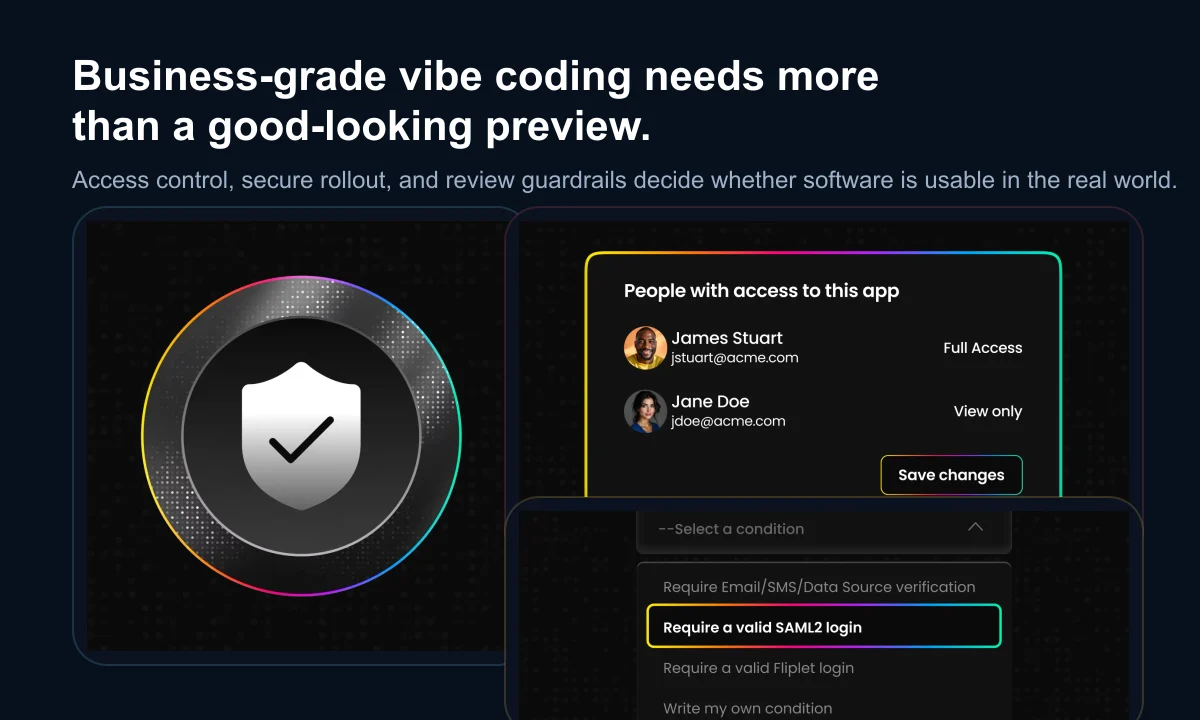
Map the roles around the software, not only its end users. A project may include a business owner, maker, content editor, data owner, reviewer, publisher, administrator, support owner, and several user groups.
Ask the vendor to demonstrate those roles on the pilot. “Role-based access is available” is less useful than seeing who can change a workflow, connect a system, approve a release, or view sensitive information.
Data handling
Follow information from prompt to production. Separate three questions:
- How does the platform handle prompt and project data during creation?
- How does the finished software store and process business data?
- Which configuration and governance responsibilities remain with your organization?
Use realistic but non-sensitive information until retention, residency, access, backup, deletion, and third-party model use are understood.
Security evidence
Security materials and certifications are useful starting points. Ask what they cover, when they were assessed, and how they apply to the software your team creates. Review identity, permissions, encryption, vulnerability management, logging, incident response, platform updates, and shared responsibilities.
The practical follow-up is simple: what happens when a security issue is found? Look for a defined route from reporting and triage through remediation and customer communication.
Integrations
A connector list shows possible coverage, not whether an integration will operate reliably. Test authentication, field mapping, error behavior, logging, retries, and ownership using a system that matters to the proposed workflow.
Publishing options
Check the actual release process for every required channel. Responsive web, public app stores, and private enterprise distribution have different approvals, update processes, and ownership requirements.
Publishing is not merely the last button in a demo. It is an operating process involving release review, user communication, support, and future updates.
Accessibility
Generated interfaces still need accessibility review. Test keyboard use, focus order, screen-reader output, contrast, text scaling, reflow, form errors, and the mobile experience. Automated tools help, but they do not replace representative manual and user testing.
Maintenance and support
Imagine that the original maker moves to another role. Can somebody else understand the software, change it safely, and publish an update? Review project structure, documentation, shared access, version history, handover, support coverage, escalation paths, and the ownership of any custom extensions.
Cost and exit
Model the total operating cost at pilot and production scale. Include makers, users, projects, environments, integrations, mobile publishing, storage, support, and internal ownership—not only the entry subscription.
Also ask how business data can be exported, how long it is retained after termination, and which parts of the project can move elsewhere. Understanding the exit path is part of responsible adoption.
How to score an AI builder pilot
Use a simple 0-to-2 score for each criterion. It keeps the conversation grounded without pretending that every requirement has equal weight.
| Score | Meaning |
|---|---|
| 0 | The answer is unknown, unavailable, or depends on an unowned workaround |
| 1 | The capability exists with conditions, extra work, plan limits, or unclear ownership |
| 2 | The capability is demonstrated, documented, and fits the intended operating model |
Score workflow fit, iteration, permissions, data handling, security, integrations, publishing, accessibility, maintenance, support, cost, and exit. Treat mandatory requirements as gates. A high total cannot compensate for an unacceptable gap in identity, data protection, accessibility, or another non-negotiable control.
The strongest pilot includes representative roles, non-sensitive test data, one integration, an exception or approval step, a controlled release, and one meaningful change after launch. A polished happy-path prototype is not enough evidence.
Fliplet's approach to AI software delivery
Fliplet helps business and technical teams move from prompt to production in one delivery environment. Teams describe a workflow in plain language, generate a working foundation, refine screens and logic, connect data, manage access, and prepare the result for web or mobile publishing.
The platform is designed for business software where speed must coexist with governance and long-term ownership. That makes it a practical fit for internal tools, portals, operational workflows, training, events, and other software that needs stakeholder review and controlled rollout.
Fliplet will not be the right fit for every project. A code-first development environment may suit a team whose primary requirement is unrestricted control over source code, runtime, and infrastructure. A traditional no-code product may be enough for a small, self-contained workflow built entirely from available components.
Fliplet is strongest when business teams and IT need to create, review, integrate, publish, and improve governed software without assembling the entire delivery process from separate tools.

From product demo to platform decision
An AI software builder should reduce the distance between a business problem and useful software. It should not create a new gap between a fast prototype and the people responsible for data, security, accessibility, publishing, and support.
Bring one real workflow to an evaluation. Include the likely users, an important integration, the main control requirements, and a change you expect after launch. Then ask the platform to demonstrate the whole lifecycle rather than stopping when the first screens appear.
If you want to see how Fliplet handles that process, Book a Demo and bring your workflow, stakeholders, and evaluation questions.
Lisa Broom is the Head of Marketing at Fliplet, where she helps enterprise teams turn complex workflows into secure, user-friendly digital experiences.

Ready to see Fliplet live?
Build the software you actually need.
Book a demo to walk through your workflow goals, governance requirements, integration needs, and rollout model.