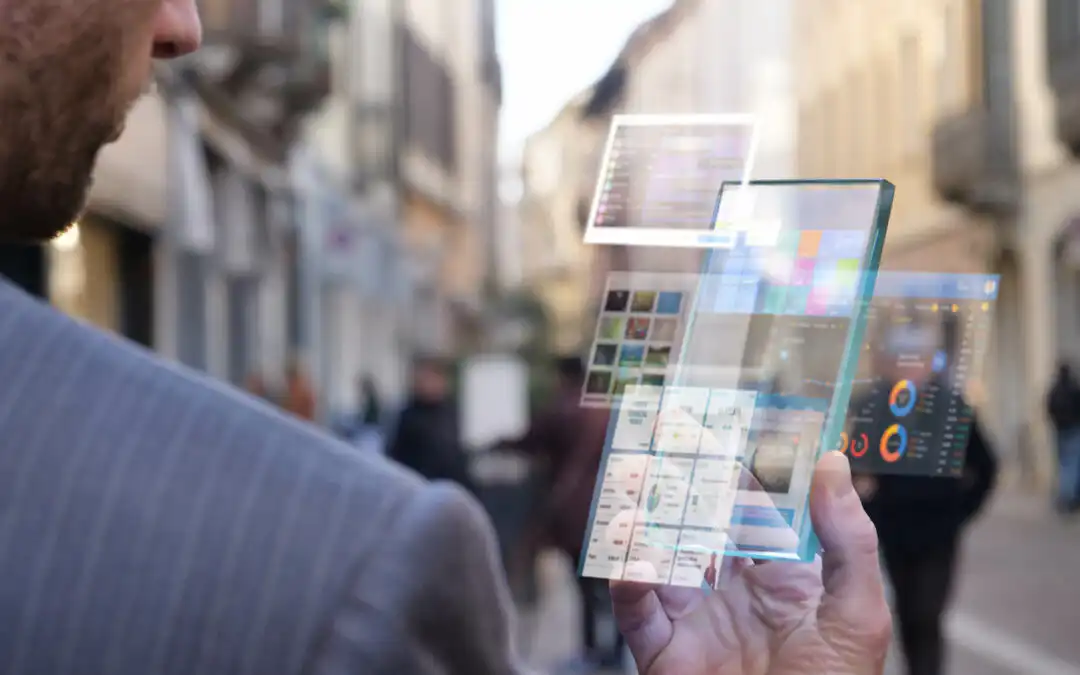
By 2026, mobile is the default way many people access work—especially deskless employees and teams operating in hybrid setups. HR technology has dramatically changed the landscape of how people management works, and employee expectations have changed with it: people want self-serve answers, workflows that work on the go, and updates that reach them without digging through an intranet. But some businesses are still struggling to keep up—according to Bamboo HR, 59% of workers think that their company is too slow to deliver workplace apps.
The future of HR is about adaptability: faster policy updates, smoother onboarding, better communication, and more consistent employee experiences across locations and shifts. From recruitment and onboarding to payroll and engagement, workplace apps help you put HR processes in employees’ hands—while giving HR teams the tools to publish, automate, and improve them over time. A modern HR app can also become the front door to AI-assisted self-service (for example, answering FAQs, routing requests, and guiding employees to the right resources), as long as the right governance and security controls are in place.
For more on the best app builders, read our blog.
The Need for a Mobile-First Approach to HR
As long ago as 2018, a report by Emergence revealed that 80% of workers are deskless, which highlights the need for a mobile-first approach to HR. In 2026, “mobile-first” is less about being trendy and more about meeting employees where work actually happens: across sites, on the move, and outside a 9–5 desktop routine. By using an app maker to create your own company app, you can keep everyone aligned via newsfeeds and notifications—even when they’re not at a desk. Apps can help employees get instant access to the information they need, at any time of day, no matter where they are.
An HR mobile app can also reduce the “where do I find this?” problem by becoming a single place for HR policies, forms, and resources. Employees can self-serve common tasks (like checking benefits info, finding key contacts, or requesting time off), leaving HR teams more time to focus on people strategy and employee experience.
Fliplet Case Study – Providence Anesthesiology Associates
Providence Anesthesiology Associates were investing in growing the company's IT services and one of the top priorities was to enable employees and clinicians to access important tools via their mobile device. Before Fliplet, they tried a lot of no-code tools for app development. Now, the team is already seeing the benefits of a truly mobile-optimized solution compared to the PDFs and websites they used previously; they are also confident that having one centralized point of information will help physicians save time as well as make it easier for the team to control security.
Apps for Recruitment and Onboarding
Mobile apps offer great opportunities for companies to make their recruitment process more efficient, save time and ensure they are hiring the right candidates. According to McKinsey, 87% of employees throughout the world are disengaged from their jobs and 85% of the global workforce are seeking new roles. With 70% of candidates using a mobile to browse for career opportunities, Apps for recruiting are becoming more and more popular.
HR Managers are quickly learning they can use no-code app builders to design the perfect app for their company's recruitment needs. By dragging and dropping different Fliplet modules, recruiters can build apps to source and manage candidates, build profiles, and share applications with colleagues. Apps allow recruiters and managers to save time by checking candidate CVs and applications wherever they are. This gives recruiters the chance to look through more CVs and to spend more time evaluating the right ones, ensuring that the perfect candidate is not overlooked.
Most importantly, apps can help make the recruitment process more engaging for both recruiters and candidates by allowing them to communicate with each other using a variety of methods. A Gallup survey discovered that 60% of millennials are open to new job opportunities, all of whom expect to be able to work using the software and devices they are most comfortable with, so don't let other companies poach your next recruit because they reached out via an app.
Apps aren't just for recruitment – they can also support the onboarding process too. By using an app maker, your HR team can create targeted onboarding experiences for mobiles, so that onboarding is easy, relevant, and intuitive for new starters. All training materials can be shared via the company app, while training workshops and inductions can be added to employee calendars. All in all, onboarding and employee training apps can create a very positive user experience for candidates and increase the company's reputation among bright new graduates and other applicants.
Security is Paramount
Data protection has a huge impact on most HR activities, so when considering the move to mobile HRMS (HR Management Software), it is important to keep security in mind. You do not want to be faced with GDPR compliance problems should a mobile device fall into the wrong hands. Smartphones already have security features built in and these can be utilized by HR apps. For example, fingerprint signatures and face recognition help keep data secure if a device is lost. And if a phone goes missing, cloud-based tools can reduce risk compared to data stored locally on a device.
In 2026, “secure” also means having the right enterprise controls around access and governance—think role-based permissions, strong authentication, auditability, and clear ownership of who can publish or change HR content and workflows.
Security is a core part of Fliplet's product and operating procedures. Fliplet works with many large blue-chip clients and consequently we've designed our security systems to meet all requirements. By using the Fliplet app maker, you can rest assured that all connections to Fliplet communicate using a secure connection and data at rest in Fliplet's production database is encrypted. Fliplet meets the security measures set out in the GDPR and will assist you with technical and organizational measures as you build your app to make sure you meet regulations.
The Future of Employee Engagement
In 2026, employee engagement is increasingly shaped by the day-to-day experience of work: how quickly people can find answers, how smoothly they can get things done, and whether they feel informed and supported—regardless of location. Mobile apps can help by creating a consistent, always-available layer for communications, onboarding, feedback, and recognition.
We’re also seeing engagement improve when HR apps move beyond “information only” and support real workflows—like submitting requests, completing onboarding tasks, signing policies, or giving quick feedback after a shift. With the rise of AI features in the workplace, HR apps can add guided self-service (for example, surfacing the right policy, routing a request to the right owner, or recommending next steps) while still keeping humans in control for approvals and sensitive decisions.
2026 checklist: what to include in a mobile-first HR app
- A single source of truth for policies and key resources
- Onboarding journeys (checklists, content, training, and milestones)
- HR forms and approvals (requests, incident reporting, confirmations)
- Targeted comms (newsfeeds and notifications by team, role, or location)
- Directory and “who to contact” (HR, IT, facilities, managers)
- Surveys and pulse checks (with clear follow-up loops)
- Recognition and lightweight engagement mechanics (optional)
- Integrations and governance (ownership, permissions, and auditability)
For more on employee engagement, read our blog.
According to MorningBrew.com, HR leaders and Software Developers agree that in the coming years the rise of apps in HR functions will accelerate and tech solutions will help HR staff avoid being overwhelmed. They spoke to Gillian French at WorkVivo who believes "Apps will not replace HR professionals…but the tech they increasingly rely on will get more powerful". With careful planning, you can harness new technologies to build modern and productive HR processes that deliver better experiences for all.
The simplest way to start this journey is to launch a focused HR app for one high-impact use case (like onboarding, policies, or employee comms) and expand from there. Fliplet is a no-code app builder that can help your company optimize its mobile experience. Using drag-and-drop components, you can create a secure, branded app that evolves as your HR needs change—without waiting on long development cycles. If you want to find out more, please contact us to book a demo.

Lisa Broom is the Head of Marketing at Fliplet, where she helps enterprise teams turn complex workflows into secure, user-friendly digital experiences.

Ready to see Fliplet live?
Build the software you actually need.
Book a demo to walk through your workflow goals, governance requirements, integration needs, and rollout model.