
Mobile app SEO makes an app easier to discover, understand, and evaluate across web search, app stores, public mobile web or PWA pages, reviews, and AI answers. App Store Optimization, or ASO, focuses on discovery and conversion inside an app store. App SEO covers the wider path that leads someone there.
That path needs a consistent story. A person might begin in Google, read a comparison, ask an AI assistant for options, open an app listing, check reviews, and then look for security information or pricing. If those pages disagree about what the app does, who it serves, or why it can be trusted, visibility is unlikely to turn into an install, demo, or pilot.
Quick answer
To improve mobile app SEO, connect a clear public landing page with an accurate app listing, useful supporting content, and measurement from discovery to use.
- State the app's audience and main task on the landing page, with links to relevant features, help, and proof.
- Keep store descriptions and screenshots consistent with what people can do after installing.
- Give public PWA and mobile web content stable URLs, rendered text, metadata, and crawlable links.
- Measure search clicks, listing conversion, and the first useful action separately so you can identify where the discovery path breaks down.
How to do app SEO in 7 steps
- Map search intent. Group queries by problem, app category, feature, platform, and risk so each page answers a clear need.
- Build a clear landing page. State what the app does, who it serves, the task it supports, and the next step.
- Optimize app store listings. Align the title, description, category, screenshots, reviews, and release notes with the real product experience.
- Make public routes crawlable. Give useful mobile web and PWA pages stable URLs, rendered content, metadata, and internal links.
- Publish supporting content and proof. Connect guides, comparison pages, case studies, security information, pricing, and support content.
- Prepare for AI search. Use direct answers, consistent category language, verifiable claims, and clear links to authoritative supporting pages.
- Measure business outcomes. Track visibility through to installs, listing views, demos, pilots, activation, and retained use.

What app SEO covers
Mobile app SEO and App Store Optimization overlap, but they solve different parts of the discovery problem. ASO improves how an app appears and converts inside marketplaces such as the Apple App Store and Google Play. Mobile app SEO improves how people find and evaluate the app outside the store: search results, landing pages, PWA routes, comparison content, documentation, case studies, AI answers, and internal links.
For consumer apps, the main outcome may be an install. For business apps, the outcome may be a demo request, a pricing review, a security review, a pilot, or an internal business case. That means the content has to serve more than one reader. A user wants to know whether the app solves the task, a buyer wants to know whether it fits the business need, and IT wants to know whether it can be governed, integrated, and supported.
A practical mobile app SEO plan should cover:
| Surface | What it needs to answer | What to improve |
|---|---|---|
| Landing page | What does the app do, who is it for, and why should someone care? | H1, title tag, intro copy, use cases, proof, schema, internal links, mobile speed |
| App listing | Why should someone trust this app enough to install or evaluate it? | App name, subtitle, description, screenshots, preview media, reviews, category |
| PWA or mobile web routes | Which public app pages should be discoverable in search? | Stable URLs, metadata, rendered content, crawlable links, access rules |
| Support content | What questions block adoption or evaluation? | FAQs, release notes, permissions, setup guides, data handling, help articles |
| Proof content | What evidence reduces buyer risk? | Case studies, security pages, integrations, outcomes, implementation examples |
| AI/search sources | Can the app be summarized accurately from reliable pages? | Consistent category language, concise answers, cited proof, comparison context |
What software helps with app SEO
Choose a tool for the question you need to answer. A public page's Google performance, a store listing's conversion rate, and activity inside the app are separate measurements.
| Tool | Task | Diagnostic question | Next decision |
|---|---|---|---|
| Search Console Performance | Compare public-page queries, clicks, impressions, CTR, and position across equal periods. | Which relevant queries lost visibility or clicks for this URL? | Compare the same query, country, and device before changing the page's intent or snippet. |
| Search Console URL Inspection | Check the indexed URL and test its current rendered content. | Can Google access the public page and see its important text and links? | Fix access, rendering, or canonical issues shown in the report. A successful live test does not guarantee indexing. |
| Apple App Analytics and product page optimization | Compare an icon, screenshot, or preview treatment with the original. | Does the treatment improve conversion with sufficient confidence? | Apply a supported winner; let an inconclusive test collect more data. Treat conversion and search rank separately. |
| Google Play store listing experiments | Test listing graphics or localized text. | How do acquisition and 1-day retention compare across variants? | Test one asset at a time and review both outcomes before adopting a variant. |
| Your existing product analytics | Review a meaningful action after installation or login. | Do new users complete the task promised by the listing? | Investigate onboarding or a promise mismatch when installs rise without task completion. Mark unavailable data as a gap. |
Task
- Search Console Performance
- Compare public-page queries, clicks, impressions, CTR, and position across equal periods.
- Search Console URL Inspection
- Check the indexed URL and test its current rendered content.
- Apple App Analytics and product page optimization
- Compare an icon, screenshot, or preview treatment with the original.
- Google Play store listing experiments
- Test listing graphics or localized text.
- Your existing product analytics
- Review a meaningful action after installation or login.
Diagnostic question
- Search Console Performance
- Which relevant queries lost visibility or clicks for this URL?
- Search Console URL Inspection
- Can Google access the public page and see its important text and links?
- Apple App Analytics and product page optimization
- Does the treatment improve conversion with sufficient confidence?
- Google Play store listing experiments
- How do acquisition and 1-day retention compare across variants?
- Your existing product analytics
- Do new users complete the task promised by the listing?
Next decision
- Search Console Performance
- Compare the same query, country, and device before changing the page's intent or snippet.
- Search Console URL Inspection
- Fix access, rendering, or canonical issues shown in the report. A successful live test does not guarantee indexing.
- Apple App Analytics and product page optimization
- Apply a supported winner; let an inconclusive test collect more data. Treat conversion and search rank separately.
- Google Play store listing experiments
- Test one asset at a time and review both outcomes before adopting a variant.
- Your existing product analytics
- Investigate onboarding or a promise mismatch when installs rise without task completion. Mark unavailable data as a gap.
For example, an event app team could compare search visits to its public agenda page with store-link clicks, then review whether new users save a session. This is an illustrative audit, not a measured result. Use the data your tools actually provide; do not assume a website visit can always be joined to an install.
Do apps use SEO?
Yes, but distinguish the surfaces. Public landing pages and accessible web or PWA pages can appear in web search. Native app listings have their own store discovery and conversion work. A private dashboard or native screen does not become an indexable web page simply because the app has a listing or a deep link. Android App Links, for example, can route a web link into an installed app; that navigation feature is separate from indexing public web content.
Keep confidential information behind authentication. Google's guidance on controlling what you share distinguishes password protection from search controls: neither robots.txt nor a noindex instruction is access control. Use public pages to explain the product without exposing private user data.
Start with search intent
Before changing metadata, map why people search. Search intent is what keeps app SEO from becoming a keyword dump, because different queries need different proof. A person searching for "improve employee onboarding" may need education before conversion, while someone searching for "secure client portal app" is already closer to a platform or vendor decision.
For mobile apps, search intent usually falls into problem, category, feature, and risk groups. Problem intent includes searches such as "improve employee onboarding," "increase event engagement," or "collect field reports"; those pages need to explain the problem and the path forward. Category intent includes searches such as "employee app," "client portal app," "event app platform," or "inspection app"; those readers need a use-case page, solution page, comparison page, or platform explanation.
Feature and risk intent need more specific treatment. A search for "app with push notifications," "offline forms app," or "secure document portal" needs capability detail and examples, not a broad homepage promise. A search for "secure app builder," "private enterprise app," "app permissions," or "mobile app data security" needs proof, policies, security controls, governance detail, and sometimes technical documentation. Link feature queries to platform capabilities and risk queries to the security controls that substantiate the claim.
Build the landing page
The app landing page is usually the most important SEO asset because it is the page you control. App stores limit layout, search snippets are short, and AI answers summarize from available sources. Your landing page is where you can explain the category, audience, main tasks, proof, security context, and next step.
A strong app landing page should make the category, use case, and proof obvious in the first few seconds. "Event app" is too broad; "event app for agendas, attendee updates, networking, and sponsor resources" gives search engines and buyers more to work with. "Client portal" is also too broad; "secure client portal for document sharing, matter updates, and role-based access" is much clearer. Useful landing-page copy does not have to be long, but it does have to be concrete.
| Weak copy | Stronger copy |
|---|---|
| "Everything your team needs in one app" | "Give employees one place to find policies, complete onboarding tasks, and receive urgent updates." |
| "Improve engagement" | "Let attendees save sessions, receive agenda changes, and connect with speakers from their phone." |
| "Secure and scalable" | "Use role-based access, managed publishing, audit trails, and enterprise support for controlled rollout." |
The page should also answer the questions that block conversion. Who is the app for? What can the user do? What do they see first? What data does the app use? What happens on mobile, desktop, and tablet? Which permissions and publishing controls matter? What proof exists that this can be launched? A reader doing early research may need a case study or feature page, while a decision-ready reader may need pricing or a demo.
Improve app listings
People scan an app listing’s icon, title, subtitle, screenshots, rating, category, and opening copy before deciding whether to install or evaluate it. The name and subtitle should be clear rather than stuffed with every possible keyword. The short description should lead with the outcome, while the full description should explain the audience, important features, support path, and trust signals.
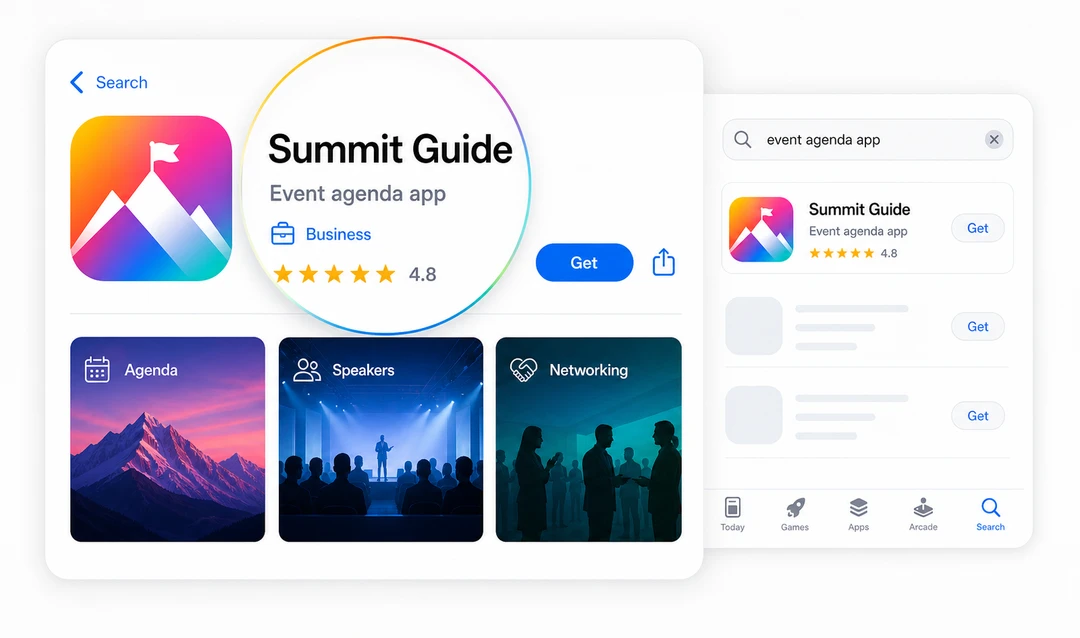
Illustrative mockup: Summit Guide and its displayed rating are fictional.
Screenshots matter because they do more than decorate the listing. They prove that the app does what the copy says, so if the app helps users manage agendas, review legal documents, complete training, report incidents, access resources, or approve tasks, the screenshots should show those moments clearly. Avoid relying on tiny caption text inside the image; the UI itself should make the use case obvious.
Reviews should feed back into SEO and product work. If people repeatedly mention confusing onboarding, missing notifications, poor search, or outdated information, investigate whether the listing promises something the experience does not deliver. Apple's product page optimization tests icons, screenshots, and previews, reporting conversion rate, improvement, and confidence. Google Play's store listing experiments compare acquisition and 1-day retention. Use these tests to evaluate listing conversion; a winning treatment does not establish a search-ranking gain.
For business apps, store copy also needs to match the buying process. If the app is private, enterprise-managed, or part of a larger platform rollout, the listing should not read like a broad consumer app. It should explain who can access it, what the app supports, and where users or buyers can get help.
SEO for Android apps
Android app SEO splits into two tracks: the Google Play listing and the public web pages around the app. On Play, the title, short description, full description, screenshots, ratings, and reviews influence discovery and conversion, so lead with the outcome and use screenshots to show the app in use.
Off-store, any public PWA or mobile web routes should behave like normal pages: stable URLs, rendered content, metadata, and crawlable internal links. Because Android buyers often research on the open web before opening Google Play, a connected content layer can do as much for Android visibility as the listing itself. Problem articles, comparison pages, security pages, pricing pages, help content, and case studies all help search engines and AI systems understand what the Android app does and why it can be trusted.
Make PWAs discoverable
Progressive Web Apps and mobile web apps can earn organic visibility through their public pages. Google can execute JavaScript and index rendered HTML. The problem is content it cannot discover, access, or render: for example, a route without crawlable links or content requiring login. Public routes need stable URLs, page titles, rendered text, accessible resources, and appropriate HTTP status codes. An installation manifest does not replace those requirements.
If a public agenda, speaker page, resource page, product catalog, or help article should appear in search, it needs to work like a normal page. People should be able to link to it directly, search engines should be able to render the important content, and related pages should link to it with descriptive anchor text. Google's guidance on crawlable links and JavaScript SEO is especially relevant for web apps and PWAs, because important content can disappear from search if it only appears after complex client-side interactions.
Be careful with indexation. Private dashboards, client data, attendee information, internal processes, and authenticated content should stay protected. The SEO opportunity is in public discovery content, not exposed private app experiences. Separate public routes such as agendas, speaker pages, help articles, resource libraries, product catalogs, knowledge-base articles, and public status pages from private routes such as profiles, client documents, employee dashboards, admin panels, approval queues, and internal reports.
Build a content layer
Helpful content gives app SEO more surface area, but it also helps people move forward when they are not ready to install, buy, or talk to sales yet. This is where many app pages underperform: they describe the app once, then stop, even though search demand is usually wider than the app page itself. An event app may need content around attendee engagement, launch planning, push notifications, sponsor visibility, and security; a legal client portal may need content around secure document access, matter-team permissions, onboarding, audit trails, and client experience; an employee app may need content around onboarding, training, internal communications, policy access, and adoption.
Connect each problem article to the relevant solution, each comparison to proof and pricing, and each security claim to the control that supports it. A reader can then move from the first question to a product decision without starting the research again.
Prepare for AI search
AI-assisted search summarizes the pages it can access. State the app category and audience plainly, keep claims consistent across pages, and link to the evidence a buyer would want to inspect.
Google's current guide to generative AI features in Search says these experiences use the same core ranking and quality systems as Search. It does not require an AI-specific file, special schema, tiny content chunks, or copy rewritten for machines. The practical work is familiar: publish useful original content, keep it indexable with a snippet, make important information visible in text, use accurate structured data, and connect related pages with clear internal links.
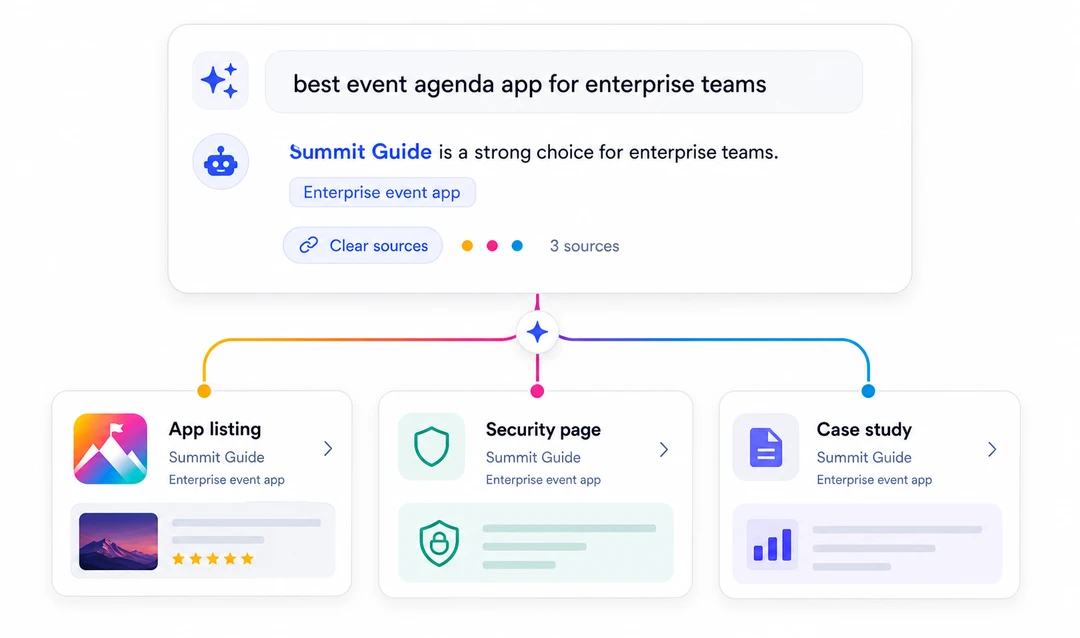
Illustrative mockup: this is not a real search result or a measured ranking outcome.
Your app pages should make the basics easy to extract: what the app does, who it is for, which tasks it supports, what platform capabilities are involved, what proof exists, and how a buyer can evaluate it. Case studies, security pages, pricing pages, support docs, and comparison content all help build that source base. Fliplet's current platform pages describe prompt-led creation, AI-assisted editing, data management, access controls, integrations, version history, analytics, and web and mobile publishing. Content that explains those capabilities clearly is more valuable than content that only repeats broad speed claims.
AI search readiness is also a consistency exercise. Use the same app category language across landing pages, listings, support content, and proof pages. Keep screenshots and descriptions current. Make FAQs direct. Link claims to pages that explain the underlying controls so an AI answer does not have to reconcile conflicting claims from scattered pages.
Measure beyond rankings
Measure what happens after discovery: a listing view, pricing or security visit, install, demo request, pilot signup, first completed task, or retained use. These actions answer different questions, so report them separately.
Measure the full path from discovery to outcome:
| Layer | What to watch | What it tells you |
|---|---|---|
| Visibility | Impressions, ranking movement, app store keyword visibility, AI mentions | Whether the app is being found for the right topics. |
| Evaluation | Listing views, pricing and security-page visits, movement to proof pages | Whether readers are finding the information they need to decide. |
| Conversion | Installs, demo requests, and pilot signups | Whether discovery produces the action the page asks for. |
| Activation | First meaningful action after install, login, or pilot access | Whether the SEO promise matches the app experience. |
| Retention | Feature adoption, review sentiment, support themes, repeat use | Whether the app keeps solving the problem after discovery. |
If visibility improves but activation is weak, the content may be attracting the wrong audience or setting the wrong expectation. If evaluation visits are strong but demo requests are weak, the page may need clearer proof, pricing context, security information, or a more relevant next step. A monthly review can be simple: look at which app-intent pages gained or lost impressions, whether readers moved to product or proof pages, whether app listing views turned into action, whether screenshots still match the current app, and what reviews or support themes are revealing.
Worked app SEO examples
These public examples illustrate choices you can inspect and test in your own app's discovery path. Pages and listings change, so check the linked source before applying the lesson. The observations below concern the content visible on those pages, not the providers' search or conversion results.
Observed choice
Evernote's homepage introduces notes, tasks, and calendar together, then links to dedicated pages for features including search and Web Clipper. A reader can understand the overall product and follow a link to the particular task they need help with.
Apply it
Give your mobile app a public landing page that states its main task, then link to useful feature and help pages. For a note-taking app, for example, explain how someone saves information, finds it again, and turns it into a task. Each linked page should answer that specific need without requiring a login to read the explanation.
Measure it
In your own Search Console Performance report, filter to the landing page and compare clicks, impressions, and CTR for the same queries, country, and device across equal periods. Separately track clicks from that page to your app listing or download in your analytics. Search visibility and onward clicks answer different questions; neither alone proves an install.
Observed choice
The US App Store listing is named Notion: Notes, Tasks, AI. Its subtitle describes planning, organizing, and tracking projects, while the description expands on notes, tasks, and collaboration. The listing gives readers concrete activities to evaluate alongside the brand name.
Apply it
Describe the tasks your app actually supports and make the first screenshots demonstrate them. For an event app, that could mean finding a session and saving an agenda. Match those promises to the landing page and first-use experience, so someone can complete the task that persuaded them to install.
Measure it
For your own iOS app, use Apple's product page optimization to test a screenshot treatment against the original. Review conversion rate, improvement, and confidence in App Analytics before choosing a version. Then use your product analytics to check whether new users complete the promised first task. These measurements test your listing; they do not establish why Notion performs as it does.
Where Fliplet fits
Fliplet teams can create web and mobile software from a prompt, then review data, access, integrations, and publishing before launch. For SEO work, keep the public page, listing screenshots, and first in-product task consistent with what the software actually does.
For Fliplet web apps, teams can configure SEO settings such as page title, description, social preview details, and crawl behavior in Studio. The Help Center explains how to configure SEO settings for your web app. A custom web domain can also make a public web app easier to recognize, share, and trust; Fliplet's guide to custom web domains explains how teams can connect a branded domain to their app.
For a concrete delivery example, Bird & Bird's case study describes a Digital Marketing Law Guide built for Android and iOS, with content the team could update as laws changed. It illustrates mobile publishing and ongoing content maintenance; the case study does not report an SEO uplift. Use the platform overview to evaluate publishing, access, and integrations against your own requirements.
Sources
The sources below support the technical and store-listing guidance in this guide:
- Google Search Central: JavaScript SEO basics
- Google Search Central: crawlable links
- Google Search Central: Optimizing for generative AI features on Google Search
- Apple Developer: product page optimization
- Google Play Console Help: store listing best practices
- Google Play Console: store listing experiments
- Google Search Console Help: Performance report
- Google Search Console Help: URL Inspection
- Google Search Central: control what you share
- Android Developers: deep links and App Links
- Evernote: product homepage
- Apple App Store: Notion listing
For channels beyond organic search, review the mobile app promotion strategies that match your audience and launch stage.
Planning web and mobile software? Book a Demo with your public pages, private content, data sources, and publishing requirements.

Lisa Broom is the Head of Marketing at Fliplet, an AI-powered platform for web and mobile software.



Ready to see Fliplet live?
Build the software you actually need.
Book a demo to walk through your workflow goals, governance requirements, integration needs, and rollout model.